Access Exchange mailbox via MacOS Mail
Requirements: You have installed a current version of MacOS.
Setting up the Exchange account in MacOS Mail
Requirements: Your Mac is connected to the Internet.
1. Add Exchange-Account
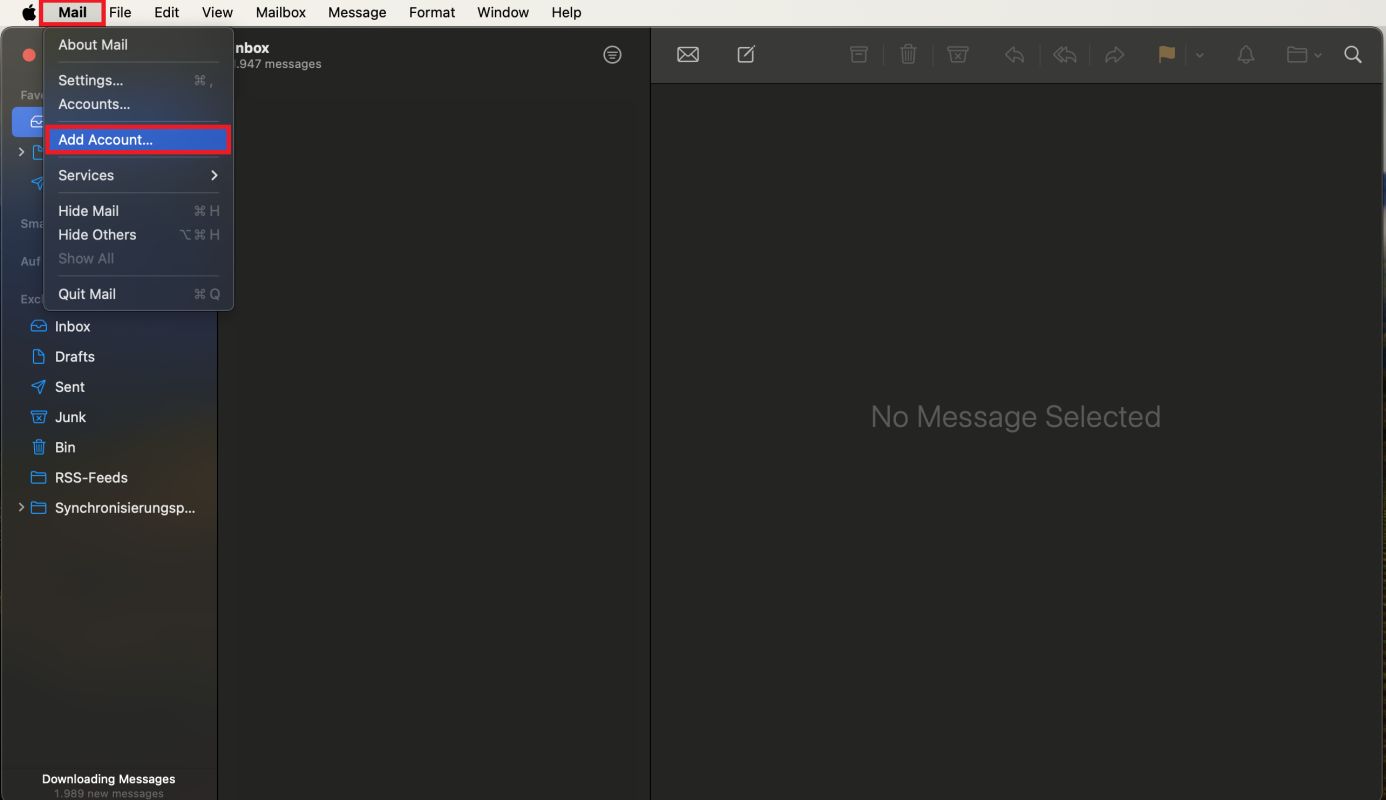
Start the setup via Mail > Add account.
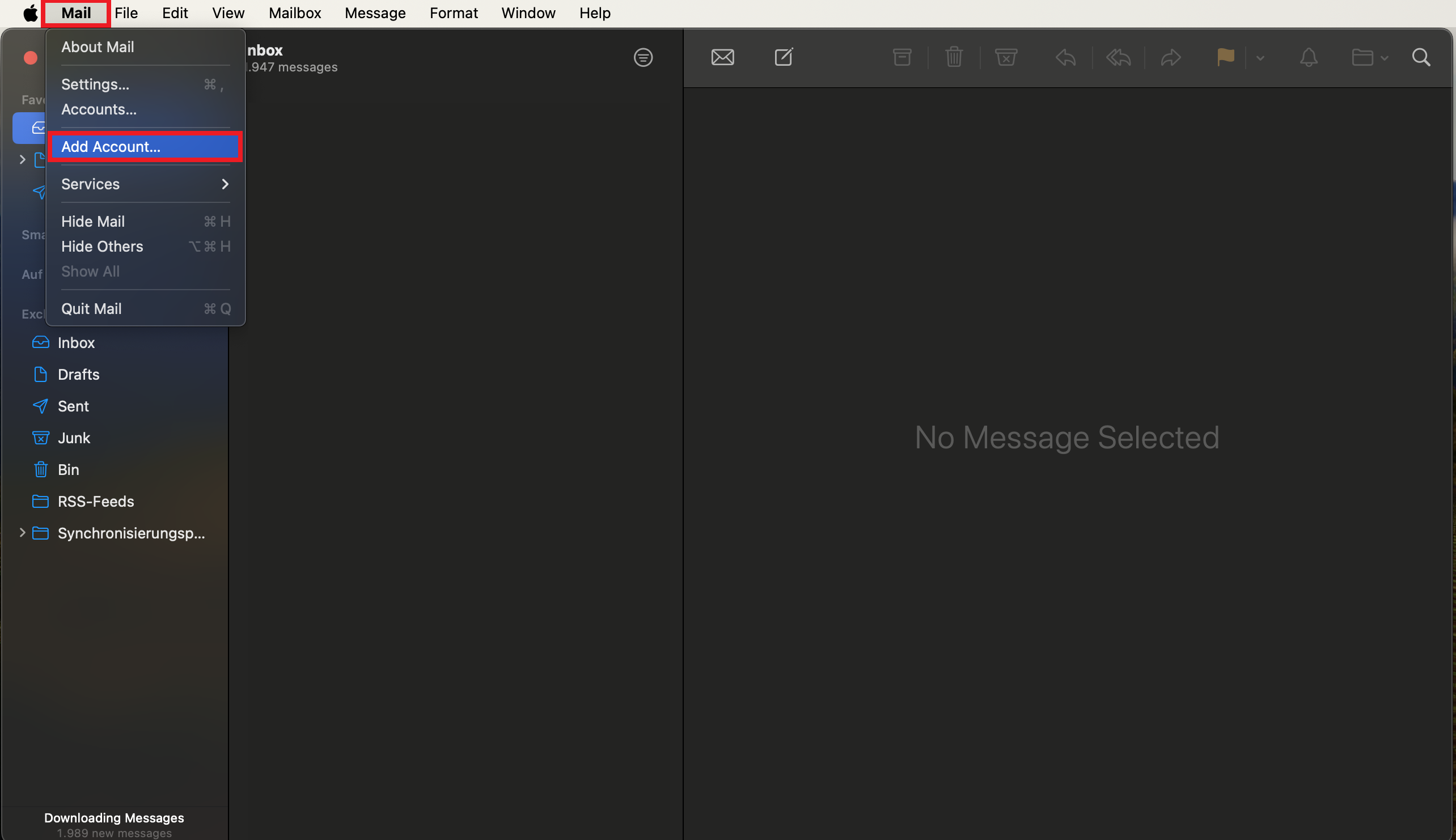
© CIT 2. Select Microsoft Exchange
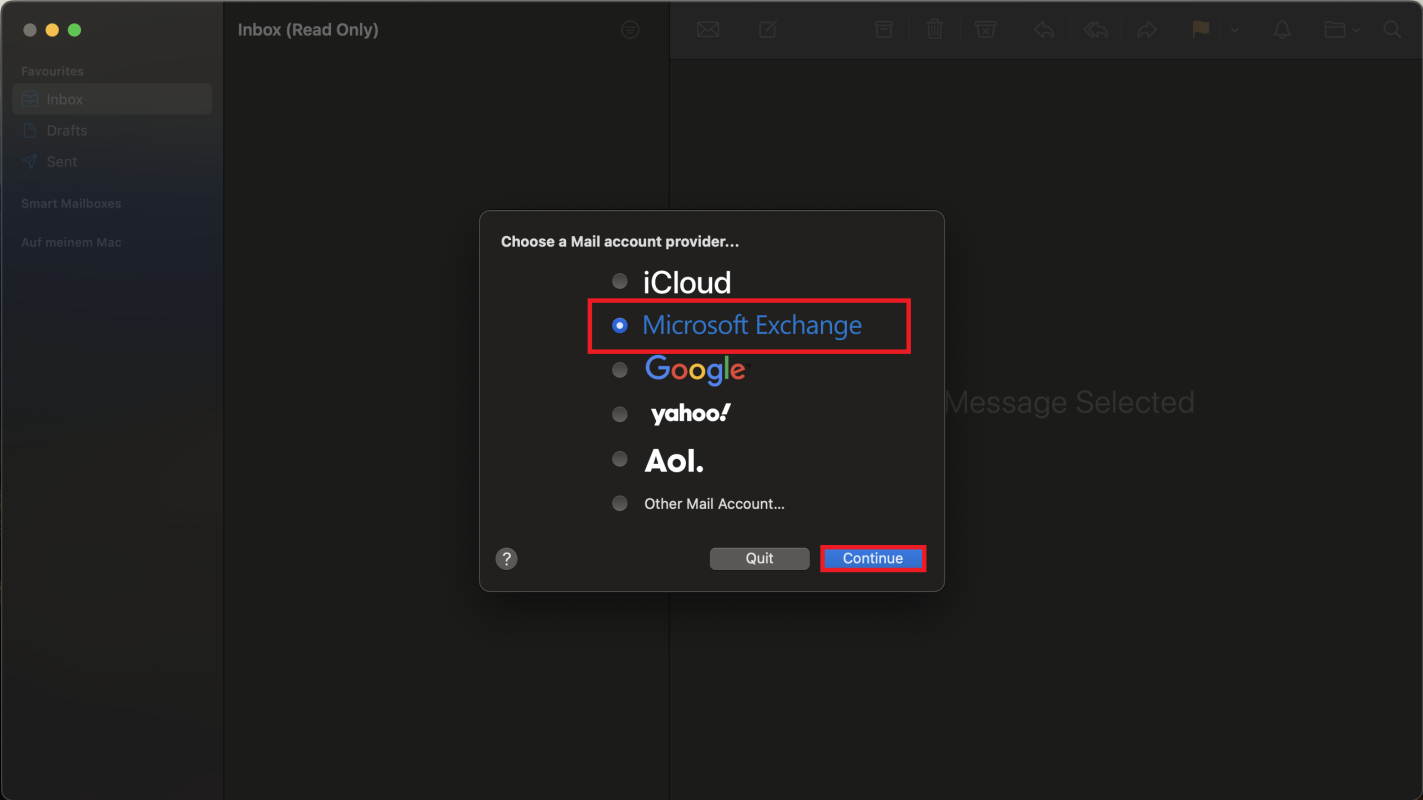
Select Microsoft Exchange and press Continue.
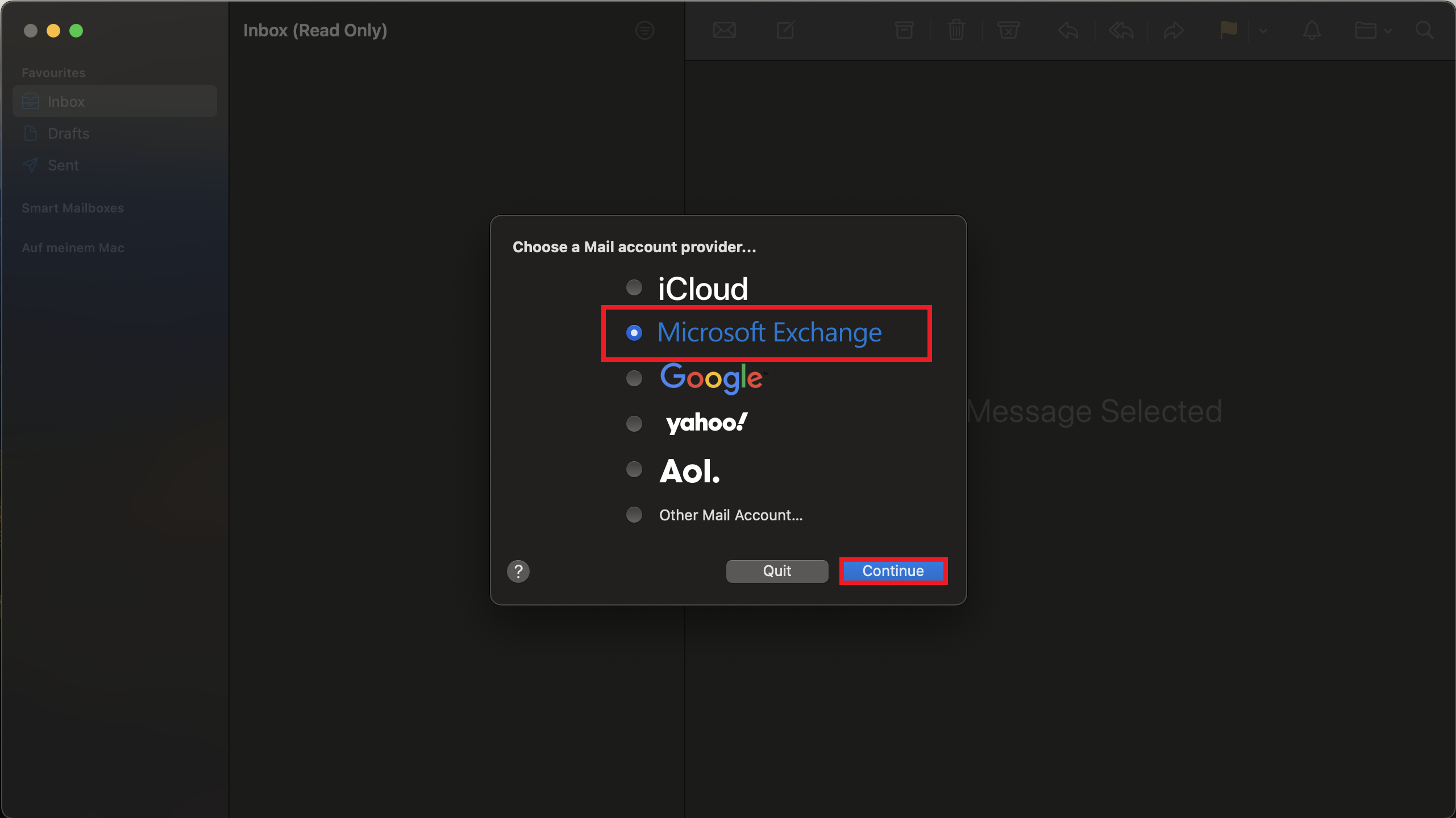
© CIT 3. Add Account-Info
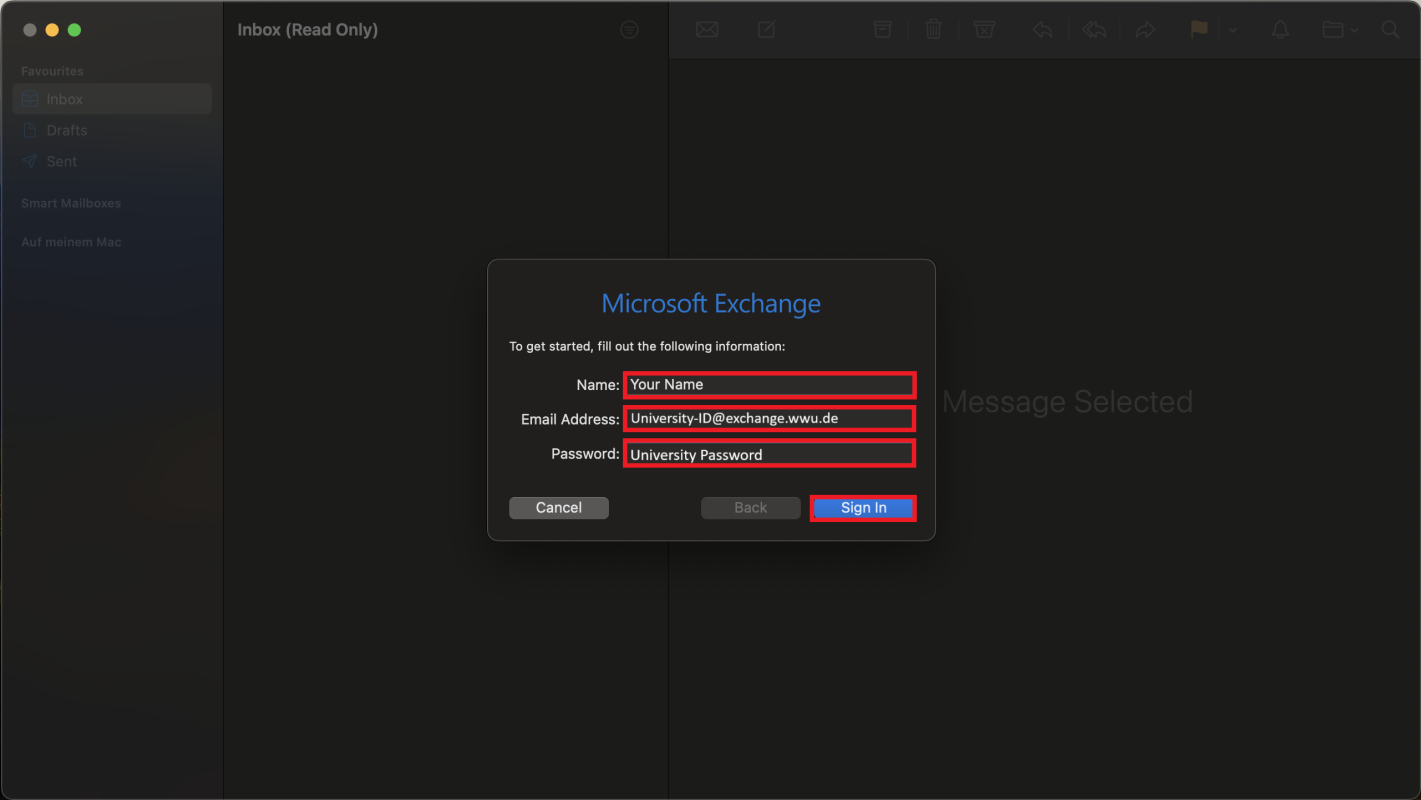
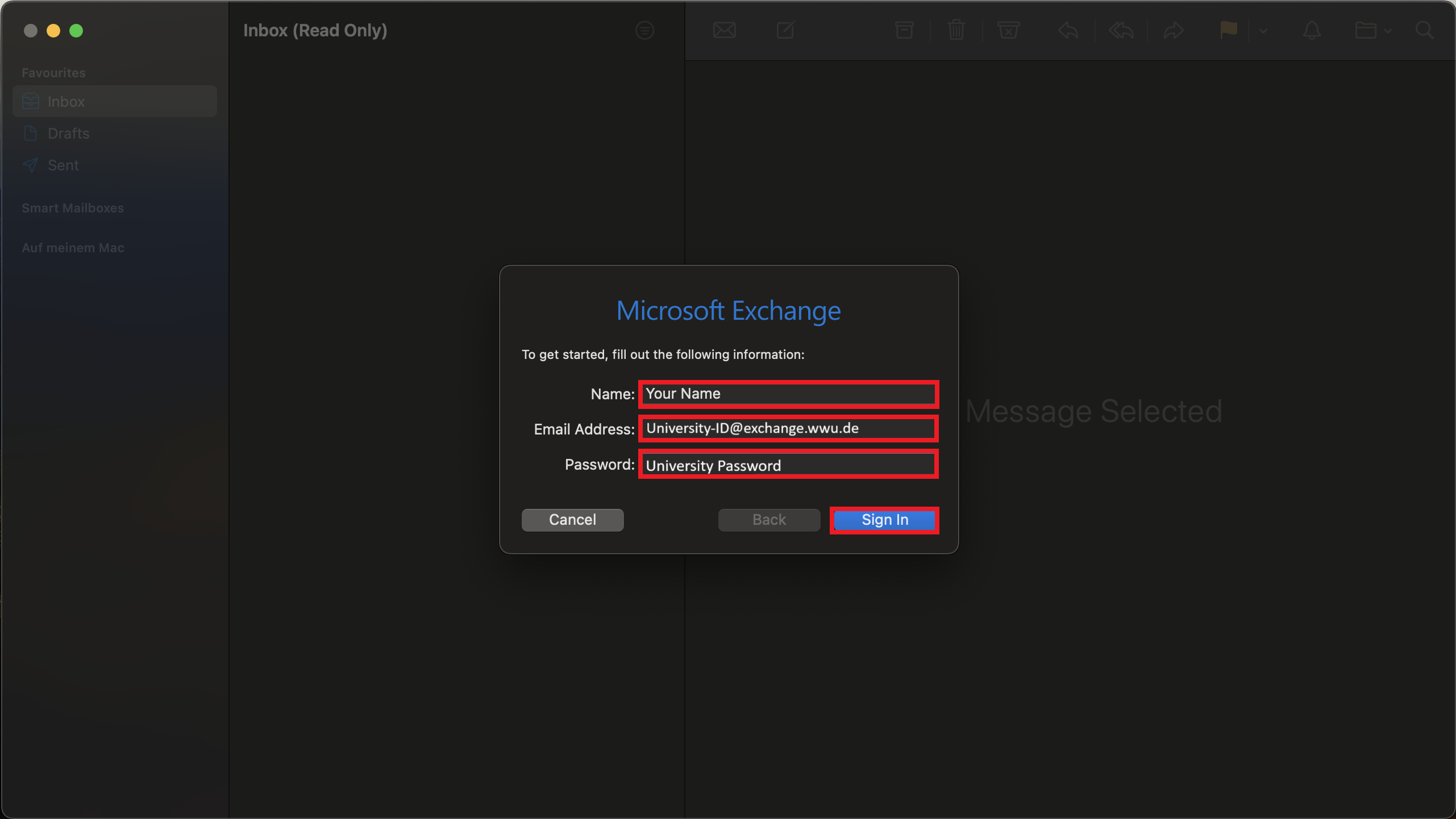
Add your name and your e-mail address (University-ID@exchange.wwu.de).

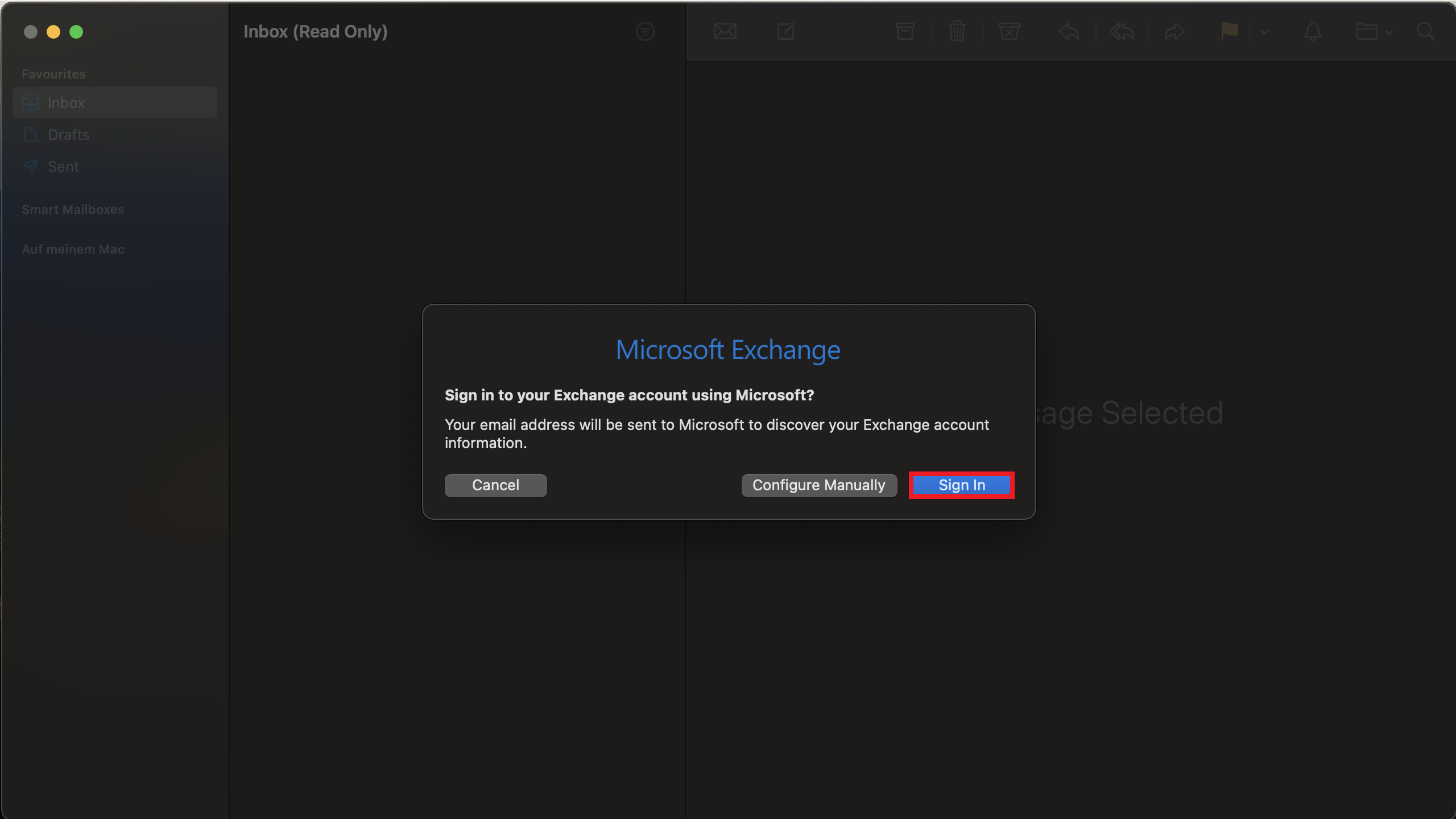
© CIT 4. Microsoft Exchange Sign in
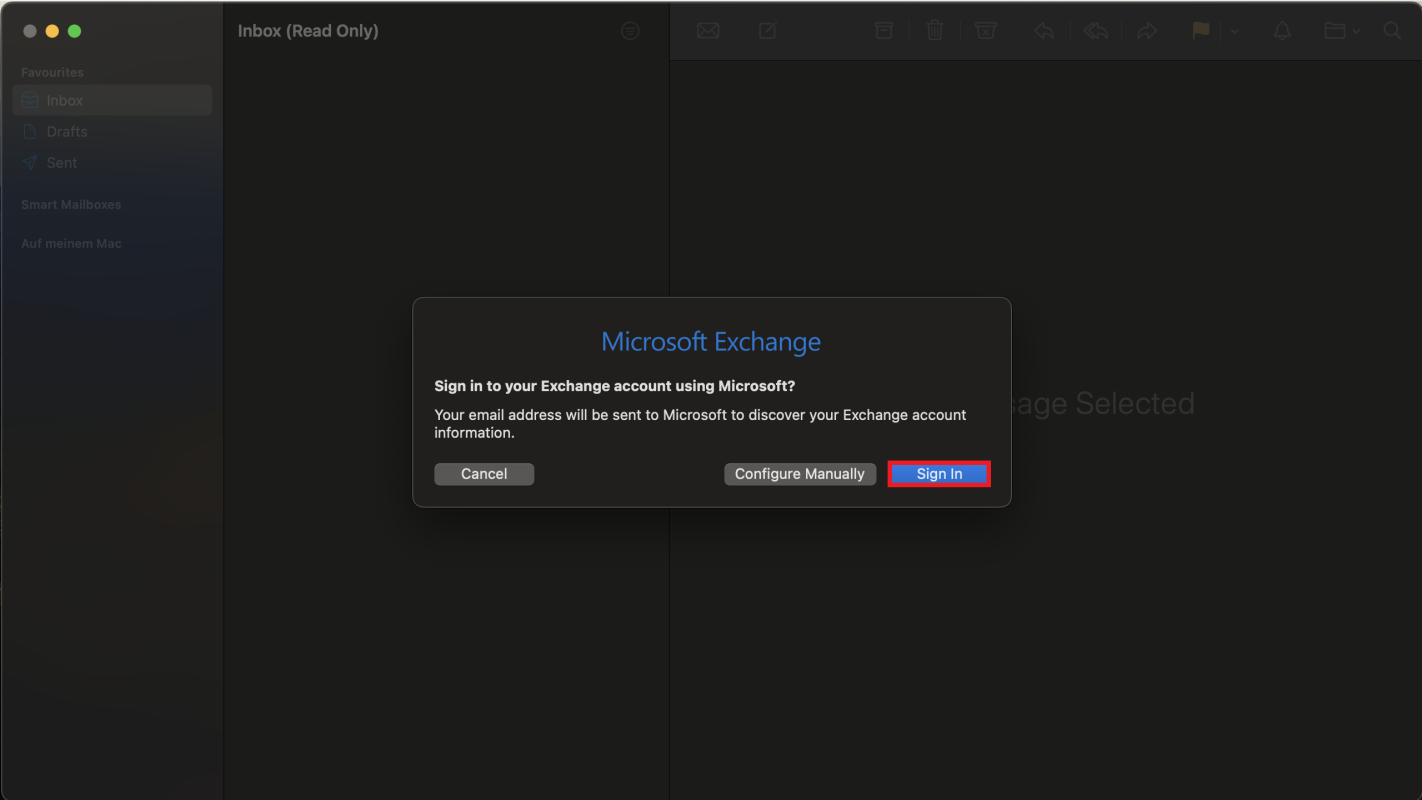
Click on Sign in.
© CIT 5. Type in your password
Enter your University Password. If your Name and Email Address have not been inserted automatically, enter them manually.
© CIT 6. Select Mail
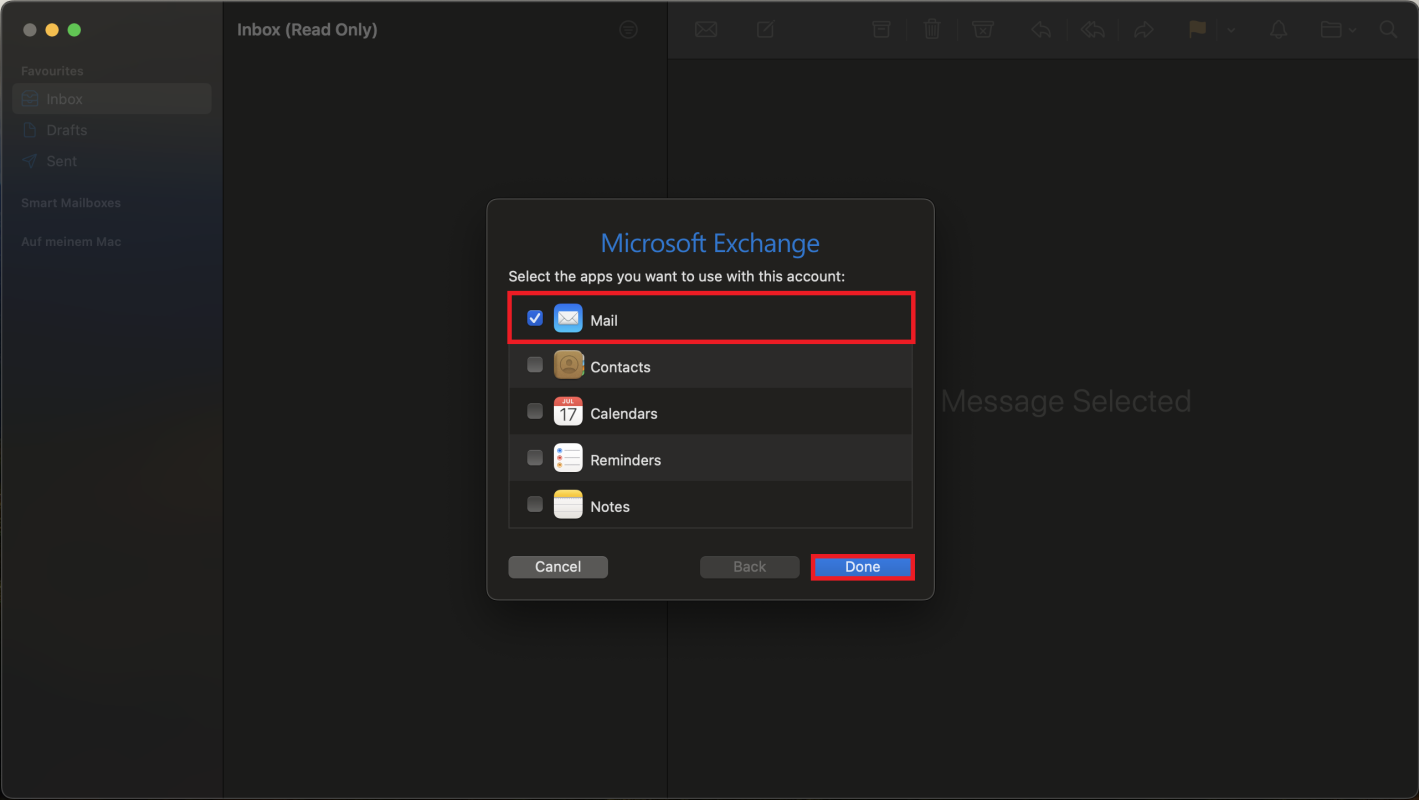
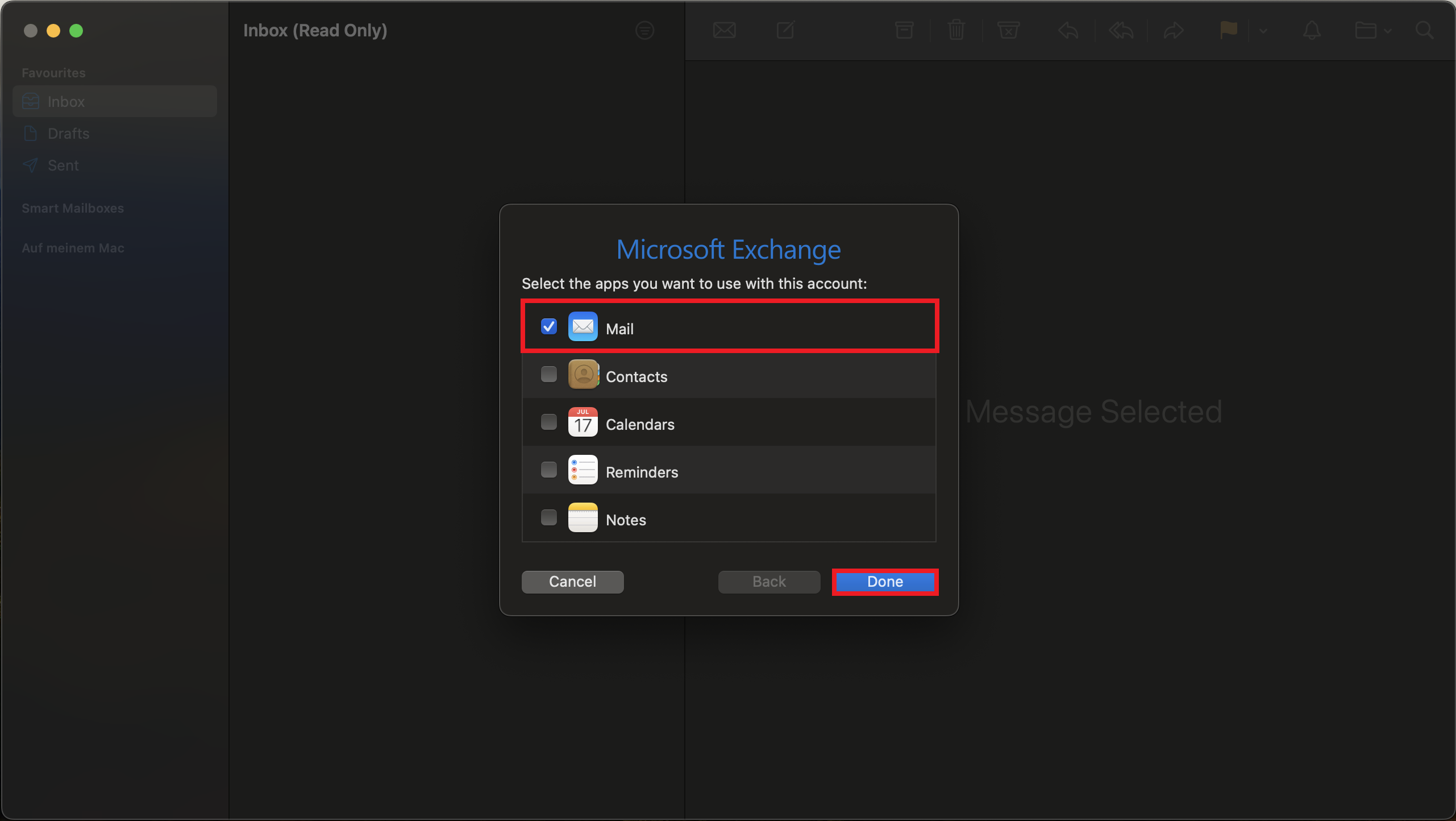
Select Mail and click on Done. Exchange is now integrated in Mail.
© CIT ATTENTION!
If you have set up an alias for your Exchange mailbox, please proceed to step 7. If you have not assigned an alias, you are now finished and have successfully set up your mailbox.
7. Edit Inbox
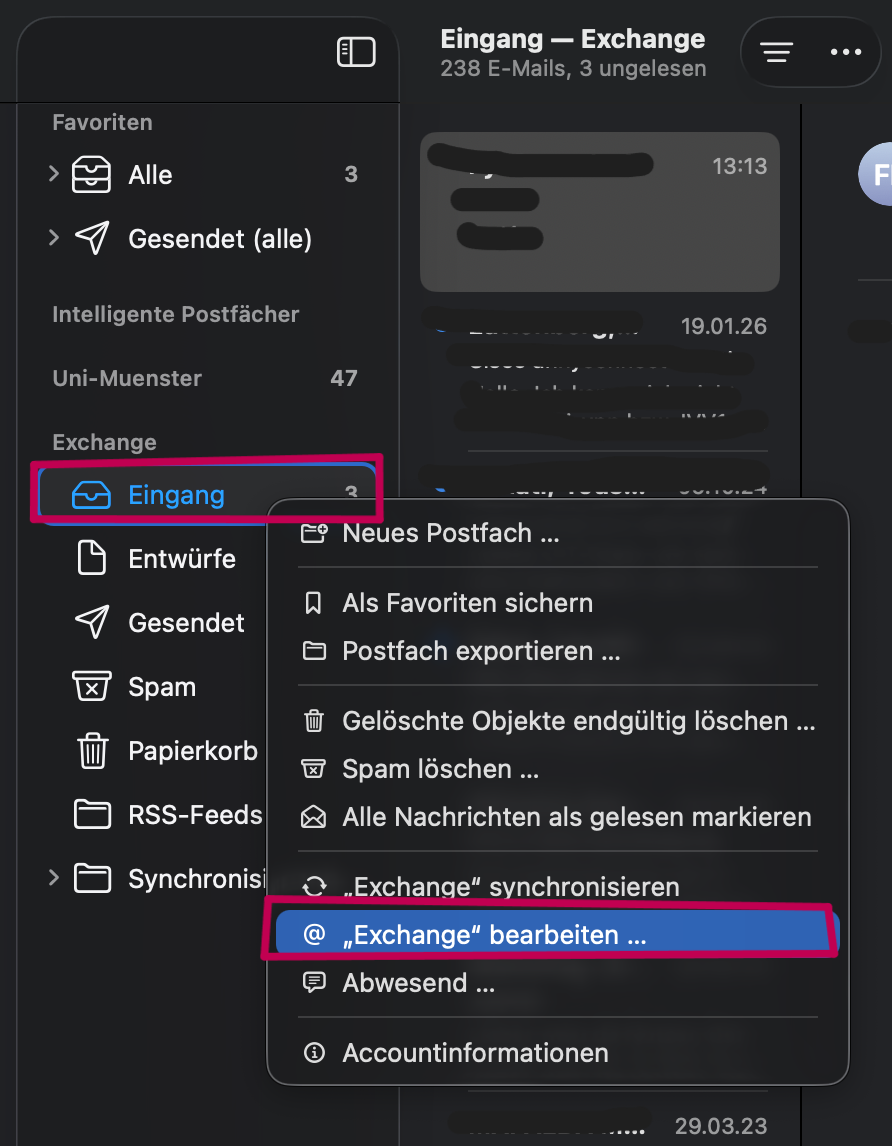
In the Mail app, right-click on your Exchange inbox and select "Edit 'Exchange'".
© CIT 8. Edit E-Mail-Address
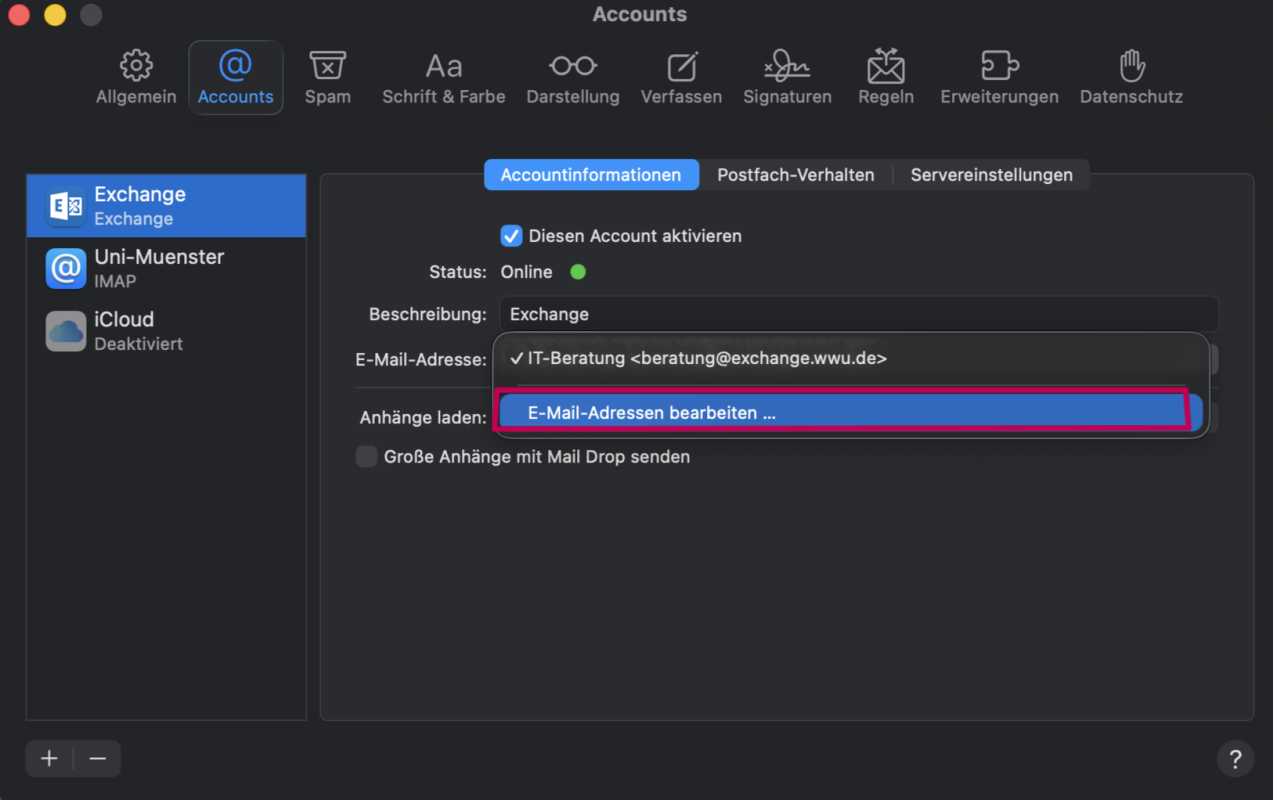
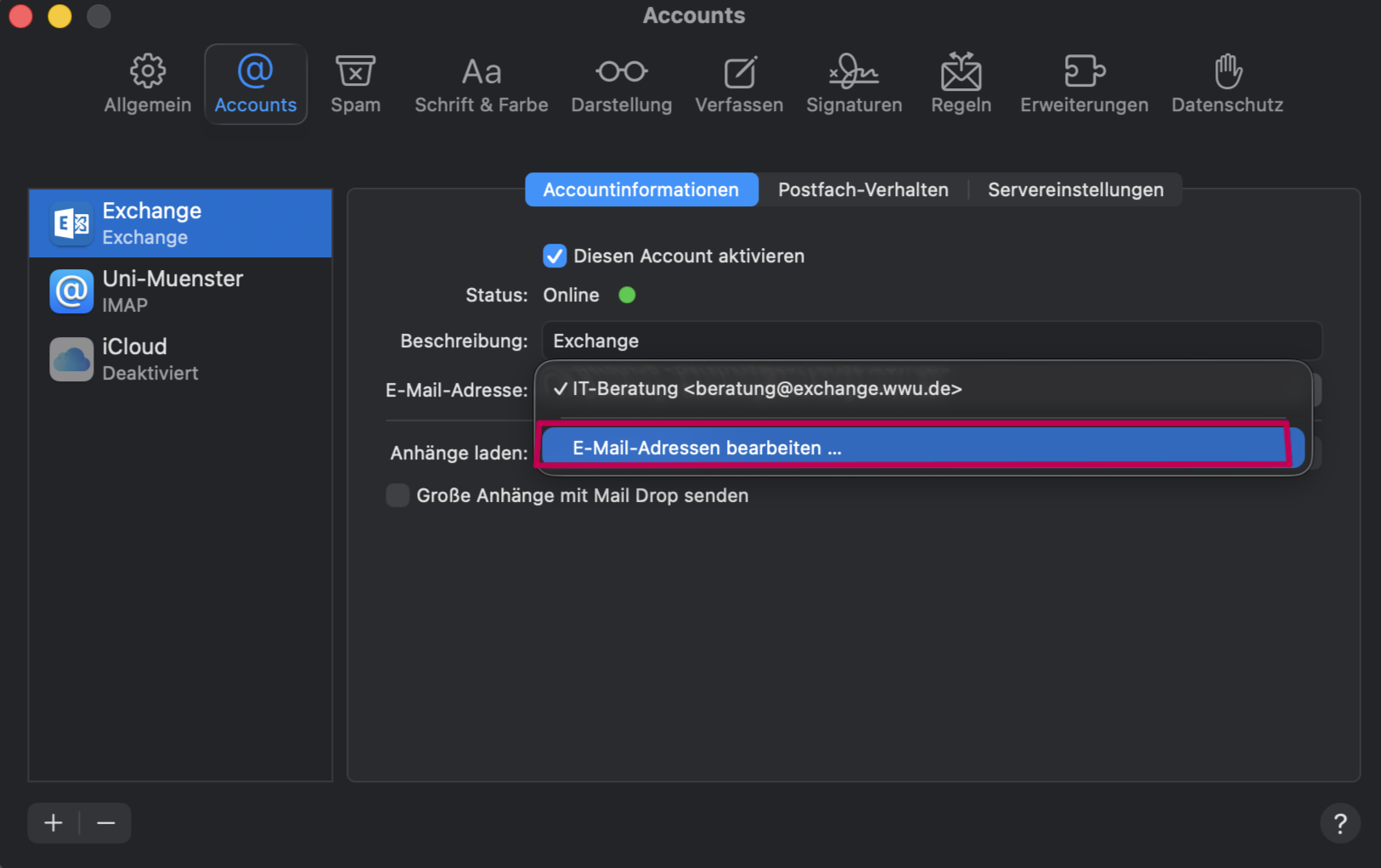
In the window that opens, click on your email address and select the "Edit Email Addresses" option.
© CIT 9. Add e-mail address with preferred name
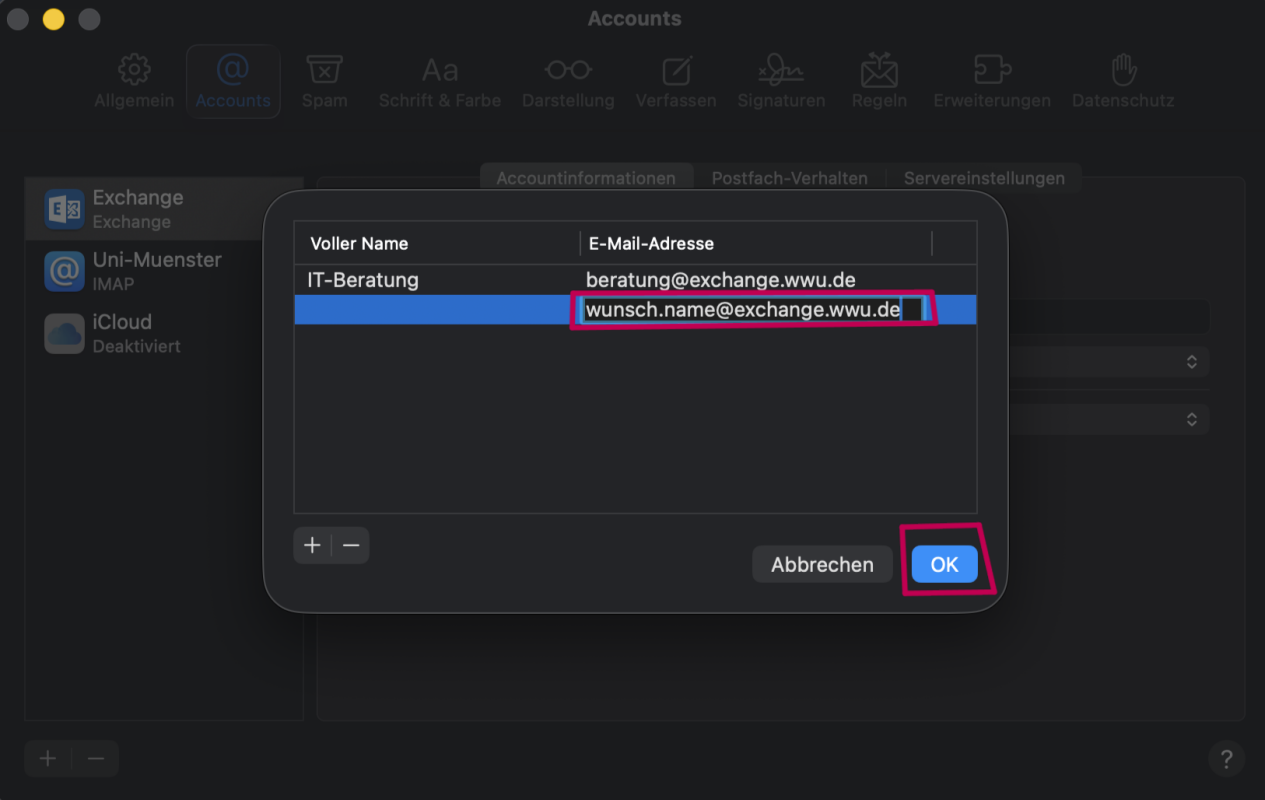
Click the "+"-icon in the bottom-left corner and add the alias email address you previously set up in the IT-Portal.
Note: If you have not assigned an alias in advance, you will, of course, be unable to add an email address with an alias here.
You can create your desired name in the IT-Portal under the "E-mail" tab.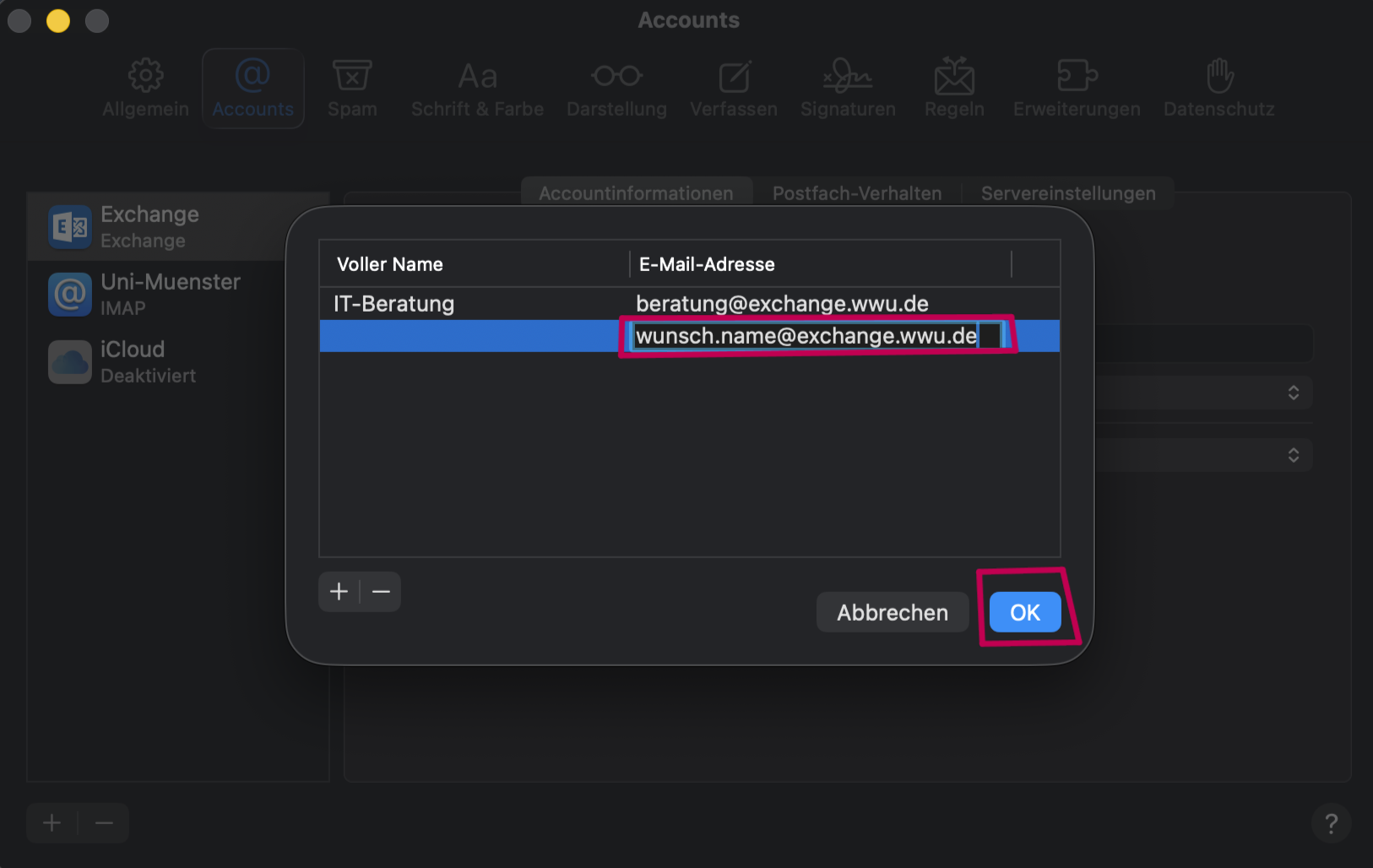
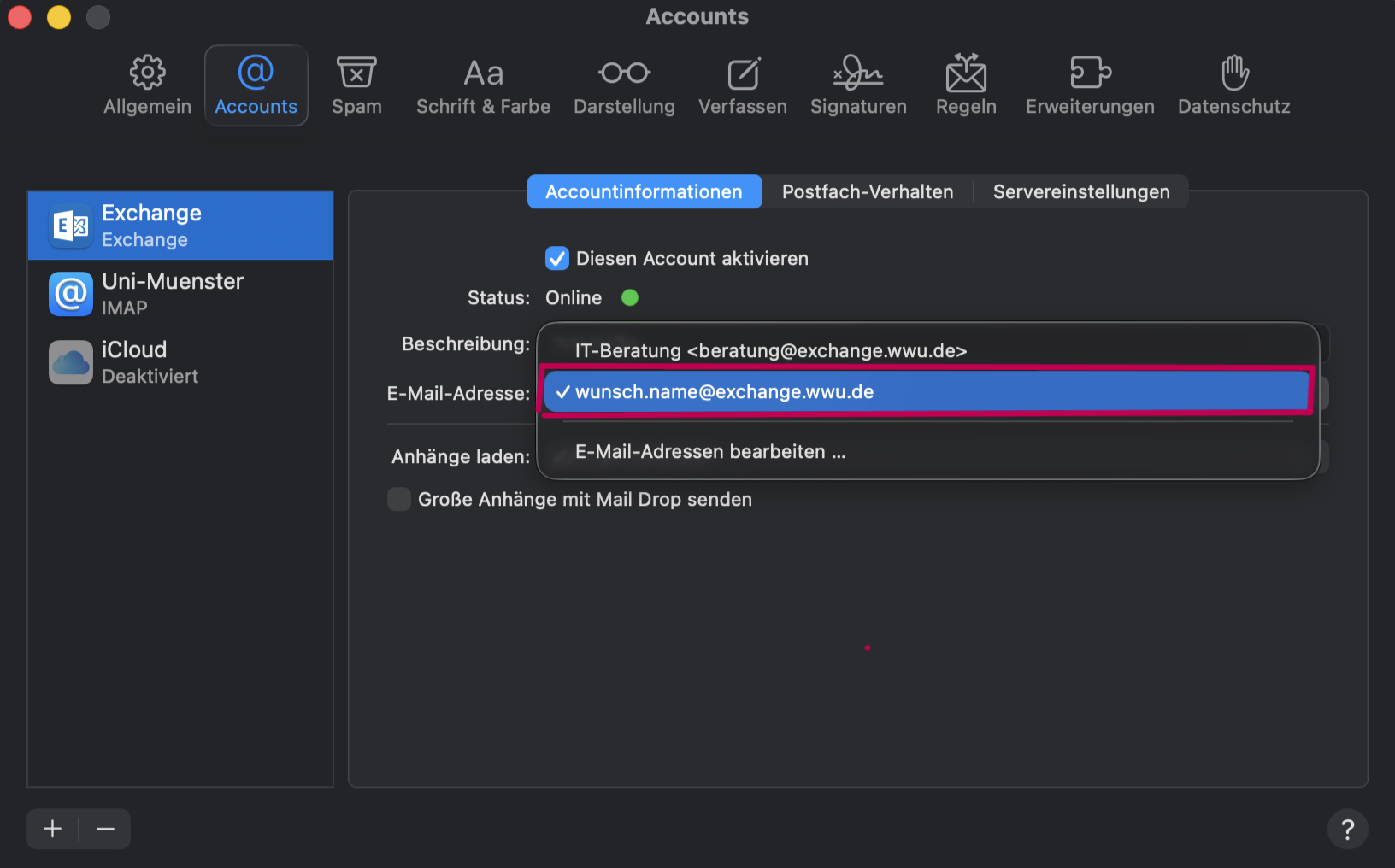
© CIT 10. Select email address with alias name
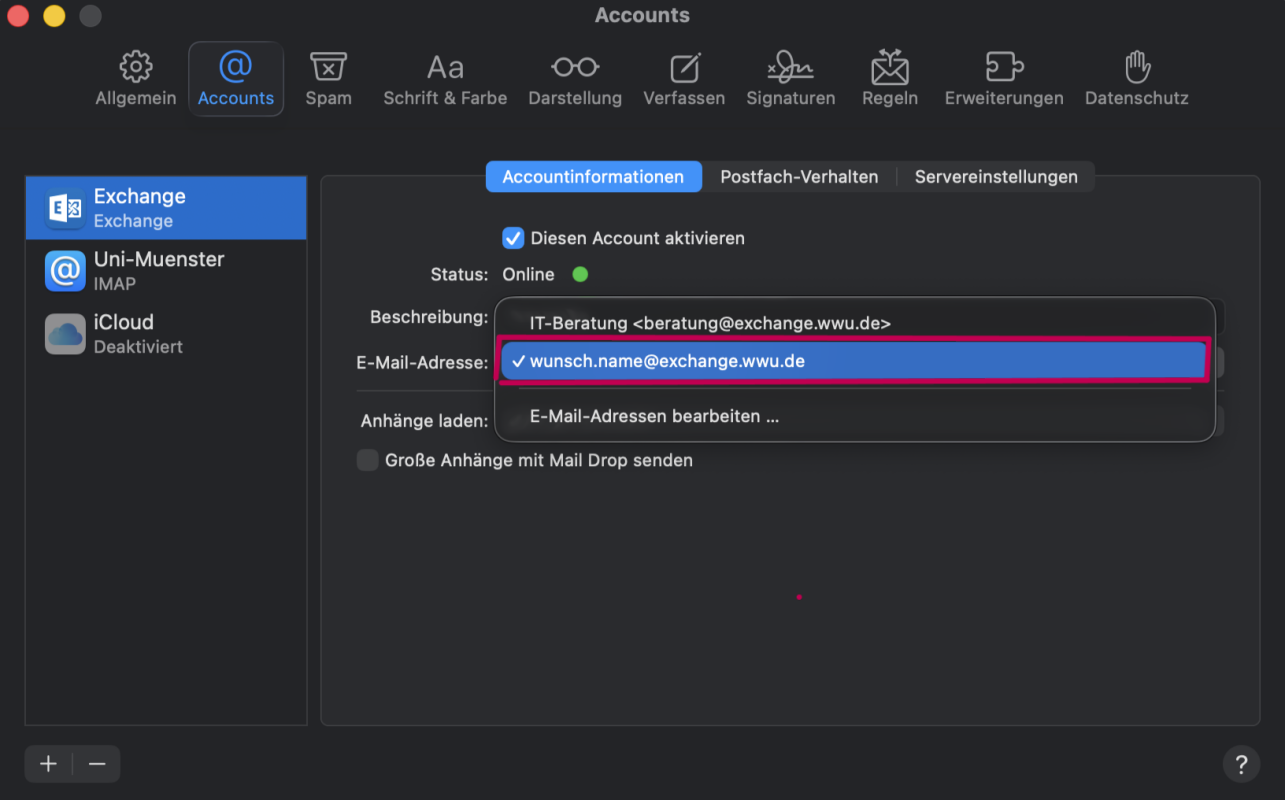
Now, select the address with your desired alias from your list of Exchange addresses. Afterwards you can close the settings, your mailbox has been successfully set up.
© CIT Differences between Exchange mailbox / standard mailbox
An additional e-mail address will be set up when you set up your Exchange mailbox: Kennung@EXCHANGE.WWU.DE .
This is different from your standard mailbox: Kennung@UNI-MUENSTER.DE .
From a technical point of view, these are different e-mail systems and accounts.You should not use the Exchange address as a contact address, but always enter the default e-mail address ( Kennung@UNI-MUENSTER.DE ).
The Exchange e-mail address ( Kennung@EXCHANGE.WWU.DE ) is only relevant for the internal delivery of e-mails within Exchange and is only displayed within Exchange.
If you send an e-mail to the standard mailbox or to people outside the University of Münster, your e-mail address will automatically be changed to Kennung@UNI-MUENSTER.DE.