

Wallet - iOS
Requirements:
You have already logged into the SelfService.
Note: The Apple Wallet is a preinstalled App provided by Apple.
Apple Wallet
1. Finding the Apple Wallet App
You can find the app on your device by searching for "Apple Wallet" using Spotlight Search (swipe down from the home screen) or the App Library (swipe all the way to the left) and tapping the icon shown in the image.
© CIT 2. Opening the ticket in the SelfService
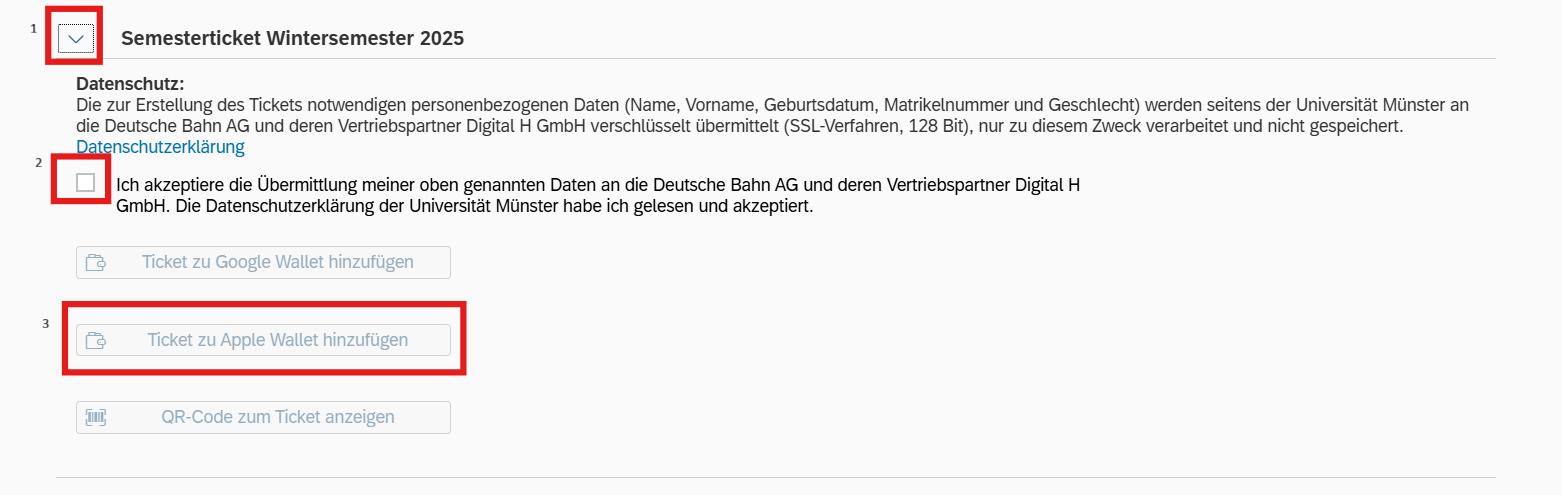
In the SelfService, select the “Semester tickets” tile. Then scroll down and click on the arrow next to “Semester ticket.” Once you have consented to the transfer of your data to Deutsche Bahn AG, you can continue and click on “Add ticket to Apple Wallet”.
© CIT 3. Adding to Apple Wallet
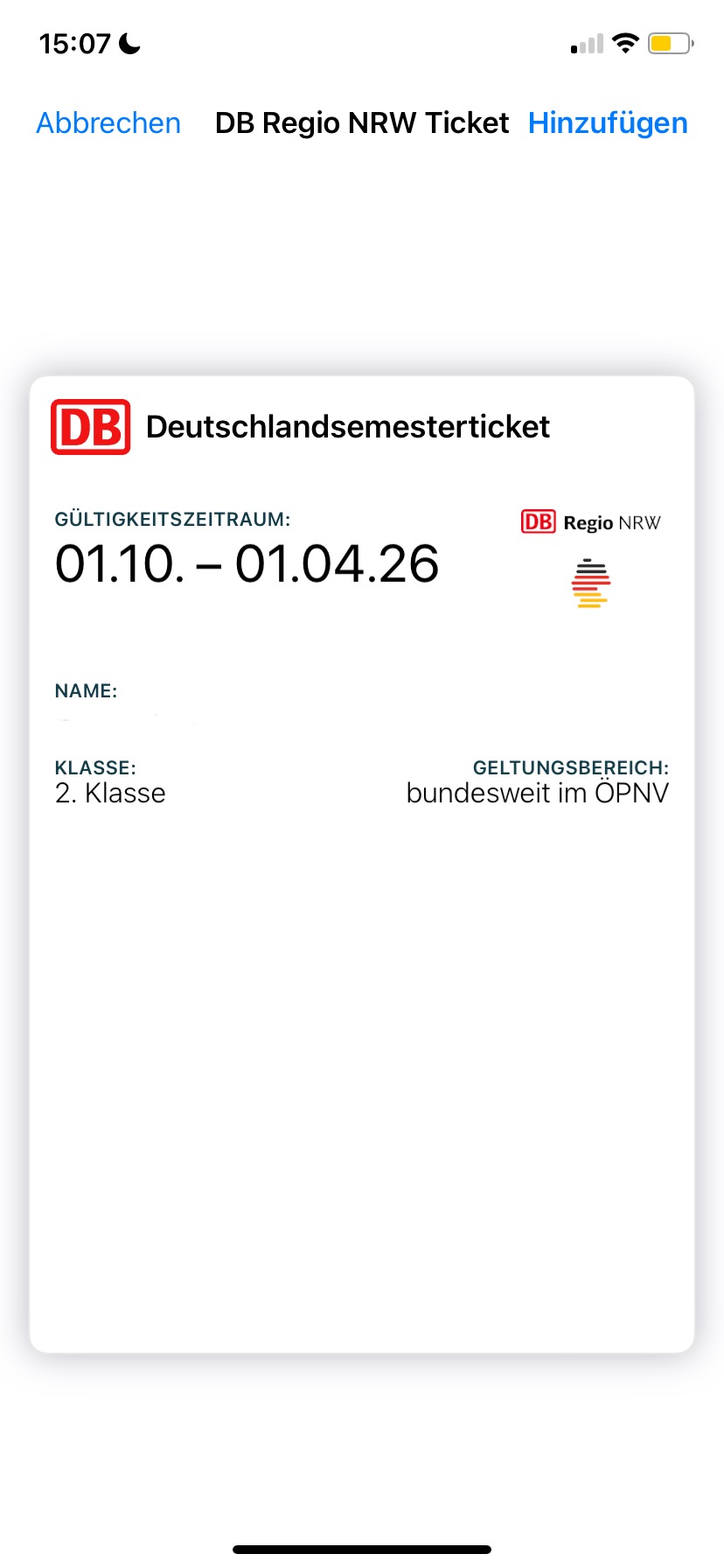
Click on "Add".
© CIT