

Renewal of the certificate of completion for the Uni-Fortbildung course Informationssicherheit für Admins
Participation in the Uni-Fortbildung Kurs Informationssicherheit für Admins must be repeated annually.
This requires you to reset a previously passed exam and retake it.
The following section describes how to reset the results of a previous exam in the Confluence system's e-learning module and retake the exam.
Open the courses dashboard
Open the Informationssicherheit für Admins course in Confluence and click on the dashboard.

Start a new attempt
Click on “New attempt” to clear your score and start the Abschlussquiz over.

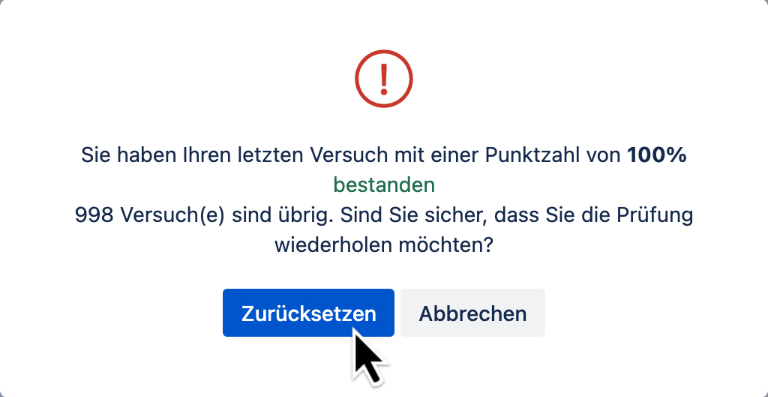
Confirm retry of the exam
Click “Reset” to retake the exam.
Taking the Abschlussquiz
After you've reviewed the lessons again, scroll down in the left-hand navigation menu to the Abschlussquiz, expand it if necessary, and click on it to start it.

Go to the first question
Click the “Next” arrow to go to the first question.

Open the dashboard
Once you have answered all the questions, click on the dashboard to complete the exam.

Complete the exam
Click “Complete Now” to view the results of the exam.

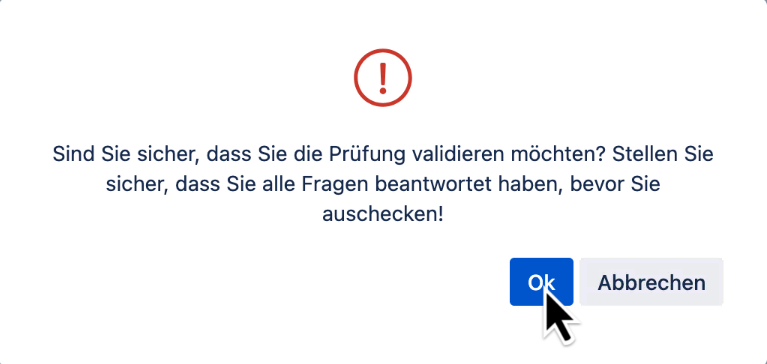
Confirm completion
Click “OK” to finish the exam.
Result of the Abschlussquiz
Your score on the Abschlussquiz will be displayed. If you answered fewer than 75% of the questions correctly, you start a "New attempt".
