Newsletter - 02/2022

Presentation of the IT Service

Who and for whom?

Andreas Vogelsang has been employed at WWU since 2009. After his education at the IVV4 - Natural Sciences he initially worked with two half-time positions in Molecular Microbiology and Biotechnology and IVV4 - Natural Sciences before he changed in December 2015 to the FB Biology as a system administrator.

Michael Bohle has been employed at WWU since July 2021. Originally coming from the hardware/ and software development in the field of traffic engineering, where he was also responsible for the IT as the sole system administrator for the company site, he moved to the IT of the FB Biology in summer 2021, where he is now also working as a system administrator.

In principle, the responsibility extends across the entire FB. The tasks are divided among each other depending on availability - or if the scope requires it - also done together. There is no separation according to institutes or areas. For this reason, contact should ideally be made via the hotline 21200 or by e-mail via it.biologie@wwu.de .

For the fulfillment of our activities we are always in close contact with the IVVNWZ or the EMU IT. There is a clear separation of responsibilities for individual areas (e.g. software, server, WLAN, mail, ...). So that you do not have to worry about this, you can simply always contact us and we will take over the communication with the corresponding institution - if necessary for the implementation of the task. An explanation of the tasks of these facilities can be found here:
IVVNWZ
WWU IT

What?

Since our field of activity is very diverse, we would like to give you an overview here of the areas of IT we cover.

  • General and specific administration of servers/PCs/laptops/tablets/mobile phones and other end devices (direct and remote)
  • Administration/maintenance/demonstration of technology in rooms/buildings such as labs, seminar rooms, lecture halls, etc.
  • Problem solving of various kinds and across all platforms, for hardware and software
  • Planning/organization of hosting and maintenance of websites (internal/external), CM systems
  • Organization/execution of elections/votes/events etc.
  • Workshops on individual topics (on request)
  • Development activities e.g. in high level languages like C/C++ and the (further) development of tools/applications with defined time (embedded & PC)
  • Recommendation/procurement and setup/installation of hardware and software
  • Communication/contact person for all IT/IT security issues
  • ...

Change of software installation for NWZ computers

Since not every user needs all software, IT Service has decided to install only the most frequently used software automatically. The rest of the software can be installed independently by the user.

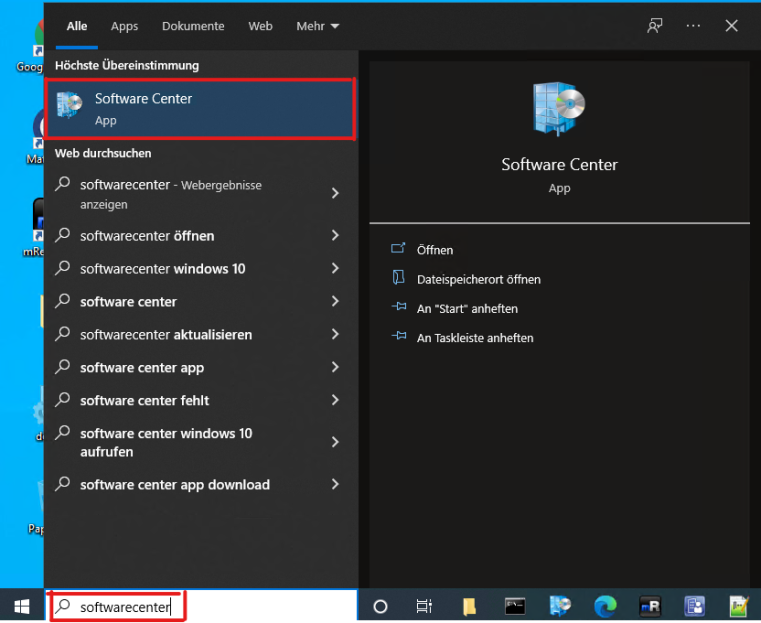
For the installation only the SoftwareCenter has to be started. To do this, click on the Windows icon and enter "Softwarecenter". Then start the application.

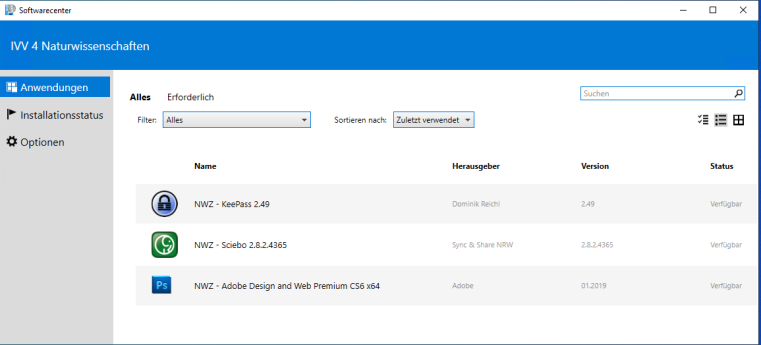
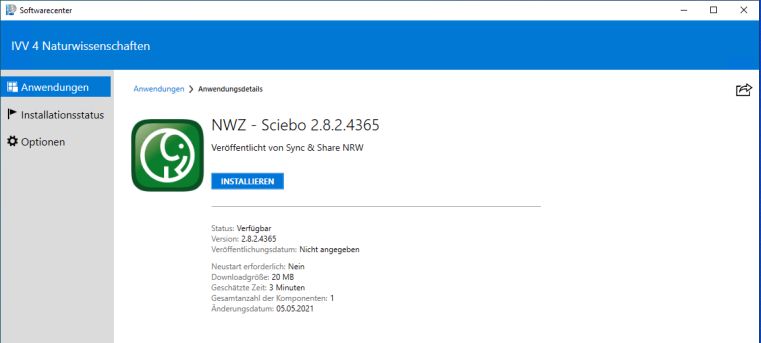
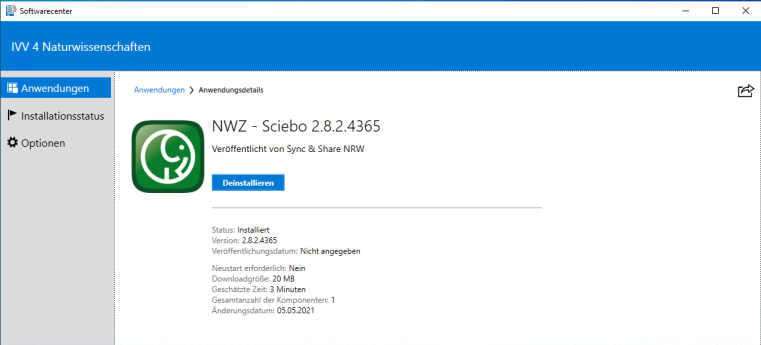
In the SoftwareCenter you can view all available applications under "Applications" and also install applications. To do this, simply click on the desired application and select "Install" in the next step. Depending on the application, the installation will take a few minutes. Once the installation is complete, you can launch the application.

As of February 9th, 2022, the following software is available. (Available) after the software name means which software can be installed independently.

  • 7-Zip
  • Adobe Acrobat
  • Adobe Design and Web Premium CS6 (Available)
  • Affinity Designer (Available)
  • Affinity Photo (Available)
  • Affinity Publisher (Available)
  • AnyBurn (Available)
  • ChemDraw Professional (Available)
  • Citavi 6
  • Citrix Workspace App
  • Corel Painter 2022 (Available)
  • Corel Paintshop Pro 2022 (Available)
  • Corel VideoStudio 2019 (Available)
  • CorelDRAW Graphics Suite 2021 (Available)
  • DNASTAR Lasergene
  • FileZilla FTP Client (Available)
  • Ghostscript 
  • GIMP (Available)
  • Google Chrome
  • Greenshot
  • GSView
  • Inkscape (Available)
  • IrfanView (Available)
  • KeePass (Available)
  • Maple 2016 (Available)
  • Mathematica (Available)
  • MathType (Available)
  • Mattermost (Available)
  • MaxQuant (Available)
  • Mendeley
  • Microsoft Office 2019
  • Microsoft Project 2019
  • Microsoft Visio 2019
  • Mozilla Firefox 
  • Mozilla Thunderbird (Available)
  • Notepad++
  • Origin 2021 (Available)
  • PDF24 Creator
  • Perseus (Available)
  • PyMOL (Available)
  • Python 2.7 (Available)
  • Python 3.7 (Available)
  • QtiPlot (Available)
  • R (Available)
  • RStudio (Available)
  • Refworks Write-N-Cite
  • Sciebo (Available)
  • Sigmaplot (Available)
  • SPSS (Available)
  • Tracker (Available)
  • VLC Player
  • Zoom
Starting the SoftwareCenter
© Uni MS
Overview of the software which is available
© Uni MS
Detail view of a software and possibility to install it
© Uni MS
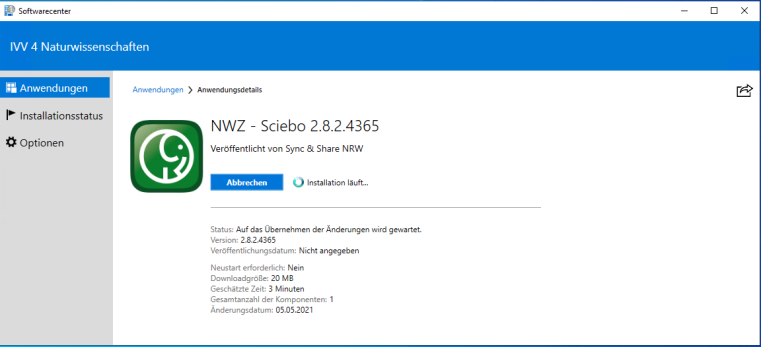
Installation of an application is performed
© Uni MS
Software is installed and can be uninstalled again if necessary
© Uni MS

Use of "Unified Communication" (UC) services for telephones

Since the switch to a more modern telephone system, which also resulted in the exchange of all telephones, it is very easy to check who called via the website https://uc.wwu.de/openscapeuc/. Forwarding to other devices such as private smartphones can also be easily set up and activated. If you would like to call someone from the home office, you can have the dialing process carried out via OpenScape. The person called only sees your work number and not your private number.

How to activate the web client and many different instructions can be found here