Using CMS or Wilma 3 - depends on the stage of your studies
Whether you use the CMS or Wilma 3 to register for exams, etc., depends on your current stage in the degree course.
Any other information regarding which exam management system you use is irrelevant.
What stage are you currently in?
First Semester
If you began your studies this semester as a first-semester student at the University of Münster, please use only the CMS.
Transfer Students
If you transferred to the University of Münster this semester, please use only the CMS.
Start of the Advanced Studies Phase
If you have passed the intermediate exam at the University of Münster and are beginning your major this semester, use only the CMS.
Everyone else
If you are currently taking the intermediate exam or studying in your major field, please continue to use Wilma 3 as before.
Once you have passed the intermediate exam, you will transition to the CMS for the advanced studies phase. You will receive an email in advance explaining how to make the transition.
Structure and Use of the CMS
Your entire academic career is managed in the CMS, including exam registration and withdrawal, grade entry, and accessing academic transcripts.
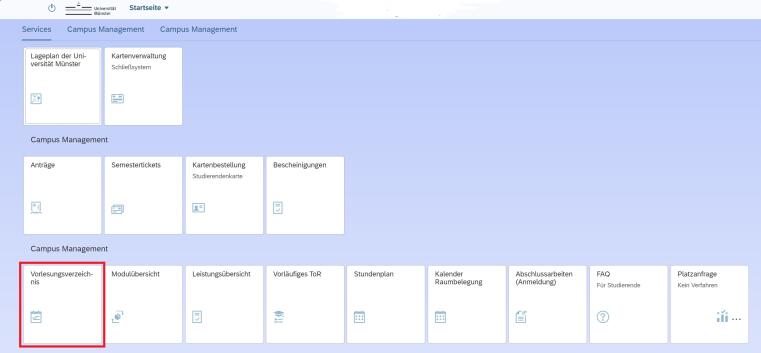
You can access the CMS via SelfService, which you can reach at this link:
There, in addition to the features you are already familiar with—such as requesting academic transcripts, accessing your semester ticket, etc.—you will find two sections entitled “Campus Management”. The second section contains numerous tiles (or apps) that allow you to access exams, course grades, and more.
The tiles and their functions are explained below:
Online Course Catalog
The Course Catalog is the central hub for
information on available lectures and seminars
registering for lectures, study groups, and seminars
registering for exams (written exams, term papers, seminars).
Structure
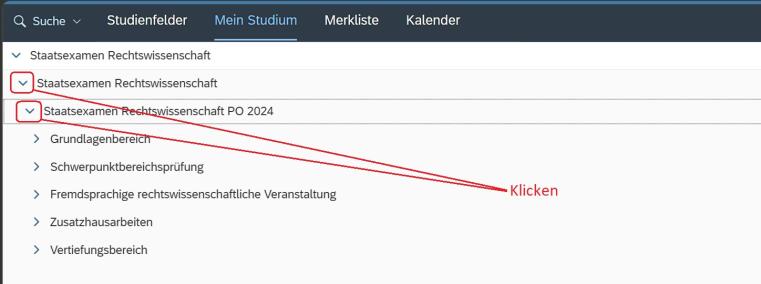
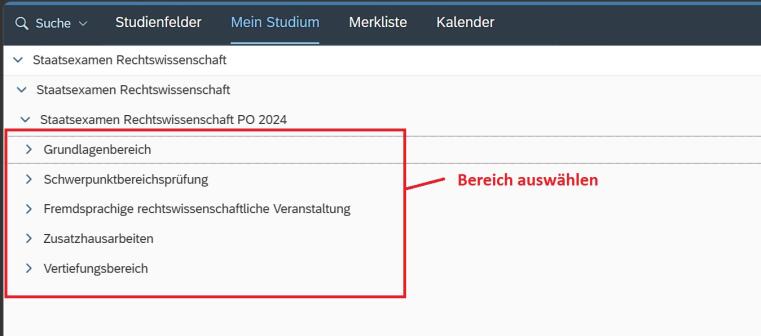
The course catalog contains the following sections:
1. Foundations Area
Here you will find al courses and major term papers related to admission to the intermediate examination and the intermediate examination itself.
2. Specialisation Area Exam
Here you will find all courses and seminars related to the specialization area exam.
3. Foreign Language Area
Here you will find the foreign-language courses offered by the Faculty of Law, in which you can earn the foreign-language proficiency requirement for admission to the state compulsory subject examination.
4. Additional Term Papers
Here you will find the courses in which you can complete an additional term paper as your fourth term paper for the state compulsory subject examination.
5. Advanced Area
Here you will find, among other things, courses offered by unireps as well as other courses such as criminal law colloquia or courses for international students.
Course Structure
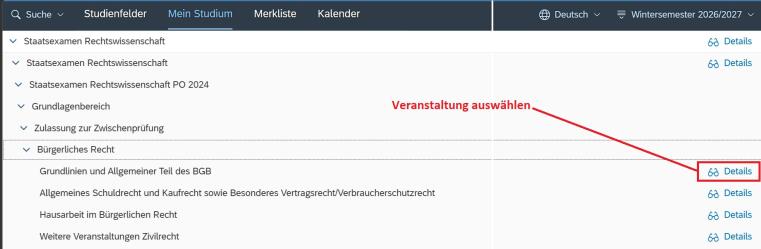
Once you have selected a course, you will find five sections:
General Description
No information has been entered here yet.
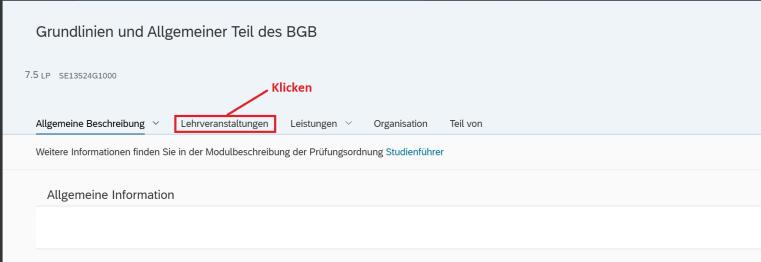
Course
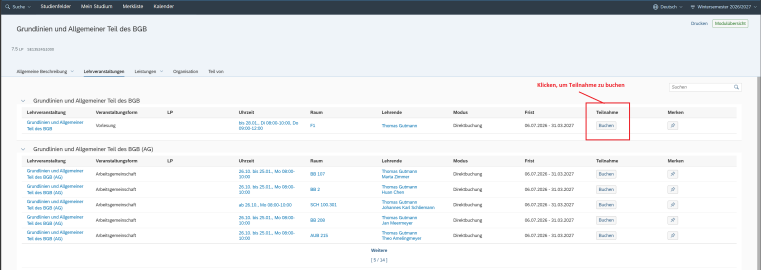
Here you will find one or more lectures or seminars related to this subject area. For each individual session, you will find information on the date, the lecture hall, the instructor, and the option to register for the session.
Examination and Coursework
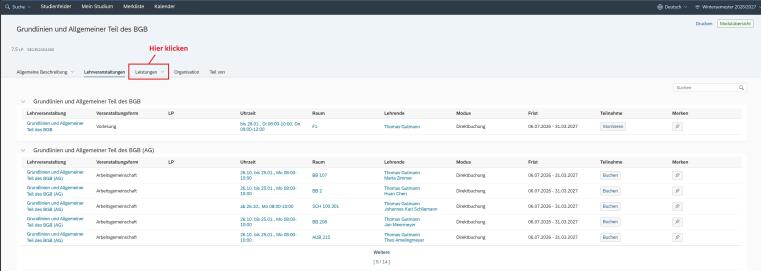
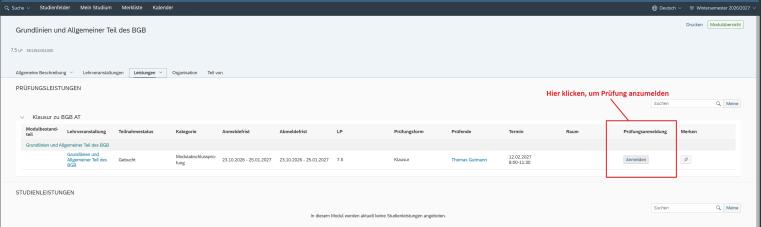
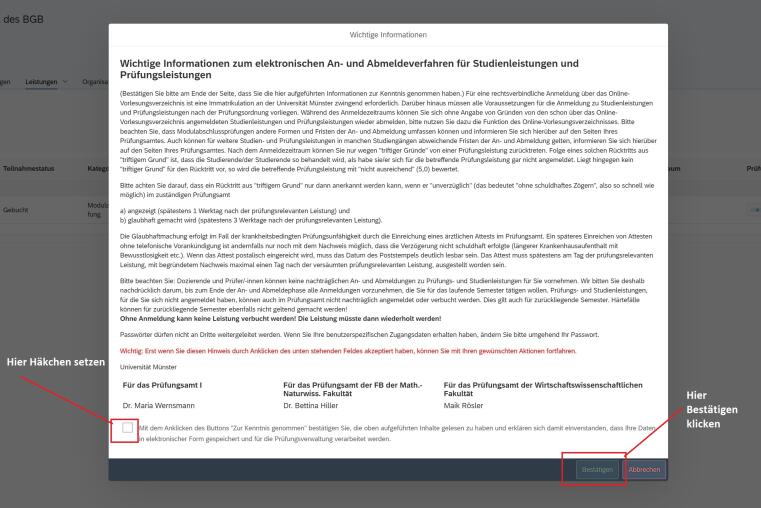
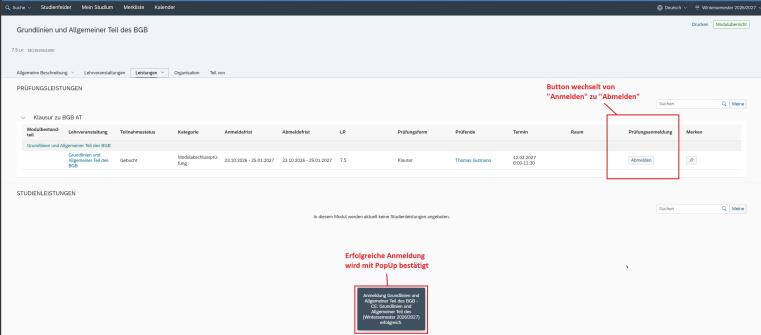
Here you will find details on the date, the lecture hall, and the deadlines for registering for or dropping the exam (written exam/term paper/seminar) associated with the course, as well as the option to register or drop the exam.
Note: If multiple courses are listed, you can only register for an exam for one of these courses. However, additional exams are listed (e.g., in the major area exam: Exam 1 in the required subject area, Exam 2 in the required subject area, Exam 3 in the required subject area, etc.). Here, you can then register for additional exams for other courses.
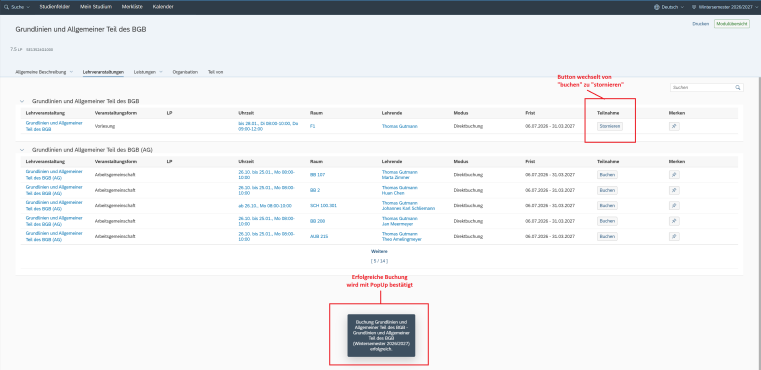
Please note: You must first register for the lecture before you can register for the course assessment (exception: term paper in Civil Law/Public Law/Criminal Law, since there is no corresponding lecture in the CMS for these courses).
Order!
Register for the lecture
Register for the exam
Otherwise, you will receive an error message stating that the context is missing
Structure of the Foundational Area
The foundational area is divided into two sections:
Admission to the Intermediate Exam
Here you will find the lectures and term papers for the first two semesters in the three areas of law, as well as the corresponding exams.
For each area of law, you will also find a section titled “Additional Courses,” which lists all courses without a final exam. You still have the option to register for these courses and enroll in a course credit (i.e., no work is required for this credit), so that it appears on your transcript. If you want to take an additional term paper in this lecture, it may not be registered here.
Intermediate Exam
Here you will find the lectures for the three intermediate exam subjects as well as the corresponding exams.
Structure of the Specialisation Area Exam
In the Specialization Area Exam section, you will first find two categories:
Specialisations Areas
Please use only this section for the specialization exam!
Specialisations Areas (Repeat Exam)
This section applies only if you need to retake the specialization exam.
“Specialization Areas” Section
Here you will find the 11 specialisations, including specialisation subfields, offered by the faculty.
Select your specialization area from among these.
This is done when you register for your first exam.
By withdrawing from all exams and canceling all registrations, you can choose your specialisation area again.
Module Overview
Here you will find a detailed overview of all registered and all completed courses and exams, organized by module (= course unit). Each course is displayed as a separate module, with the exception of the area of specialization.
Provisional ToR
Here you can create a PDF document containing an overview of all the coursework you have completed (ToR = Transcript of Records). This document includes a QR code that allows anyone to verify the ToR. Certification by the Registrar’s Office is no longer required.
Examinations and Coursework
Here you'll find your class schedule, which is generated based on the courses you've registered for.
Course Timetable
Here you will find an overview of all the exams you have registered for and all exams that you have completed.
III. Registration for Exams
Step 1: Log In to the CMS
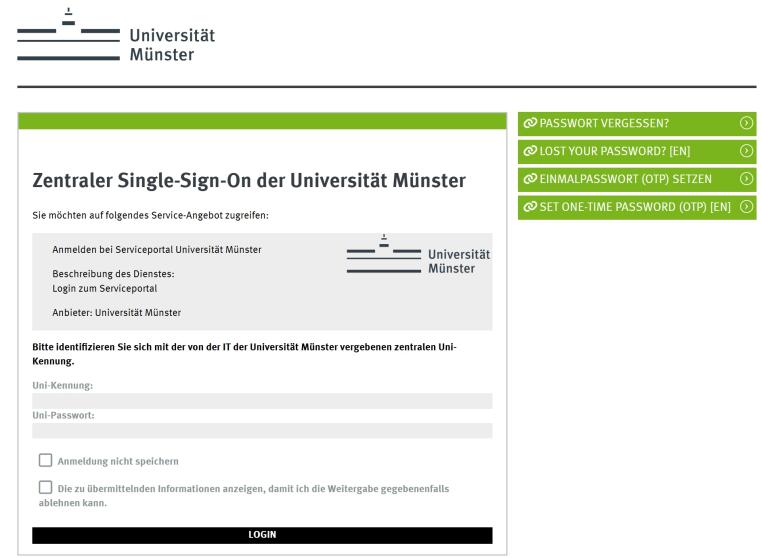
Log in to the University of Münster's Self-Service Portal using your central user ID: