

Warning about attacks with fake captchas (ClickFix)
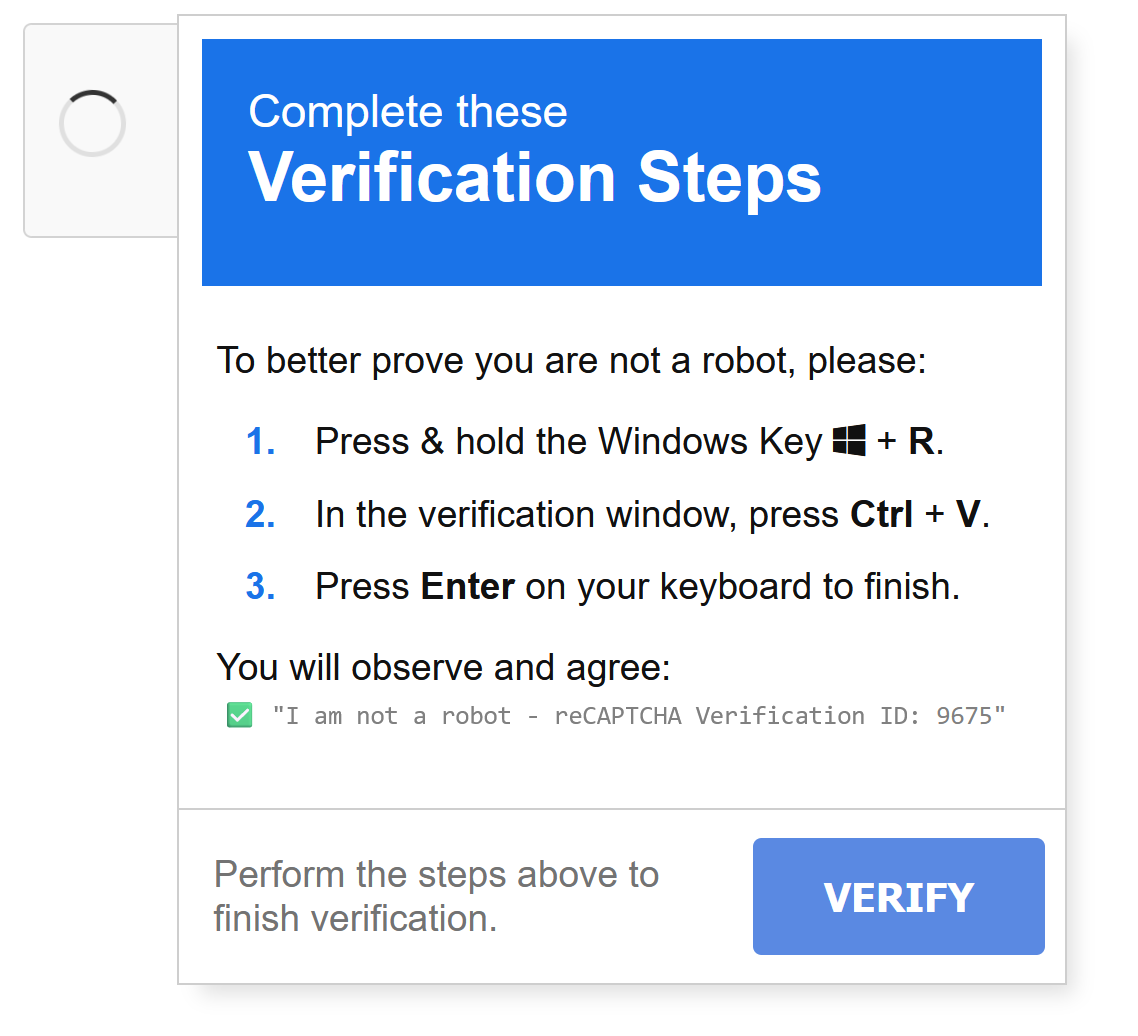
Currently, there's an increasing number of so-called ClickFix attacks (also known as Fake-Captcha attacks) being observed against members of the University of Münster. This attack method lures users to manipulated websites that display seemingly harmless Captcha prompts, error messages, or verification requests (e.g., "I am not a robot," "Please verify you are human," or "To fix the problem, please follow these steps"). Entry often occurs via manipulated search results, compromised websites, phishing emails, or advertisements. Instead of a genuine Captcha check, users are instructed to perform a dangerous action or key combination, such as:
- Pressing Windows key + R (open Run dialog)
- Pressing Windows key + X followed by the "i" key (open Windows Terminal)
- Pressing Ctrl + V (paste a command previously copied to the clipboard without your knowledge)
- Copying a "verification code" into a new window
- Copying a browser URL as verification
Example:
How can you protect yourself?
- Never execute unknown key combinations or commands requested by a website
- Do not paste unknown commands into the Run dialog (Win+R), Windows PowerShell, or Terminal
- Genuine Captcha prompts never require copying and pasting commands or pressing system key combinations
- Immediately close suspicious websites and check the contents of your clipboard before pasting anything
- Be suspicious of unexpected error messages, verification prompts, or “repair instructions” on websites
If you suspect you have executed such a command:
- Immediately disconnect the affected device from the network
- Contact your responsible IT service provider (IVV) or CERT (Computer Emergency Response Team) immediately
- Change all login credentials stored or used on the device from another trusted device