
Menus and buttons
In addition to the main menu (A) and the user menu (B), two other menus (C and D) can appear, in which various settings can be made and various options can be selected, depending on which window or editing step you are currently in.
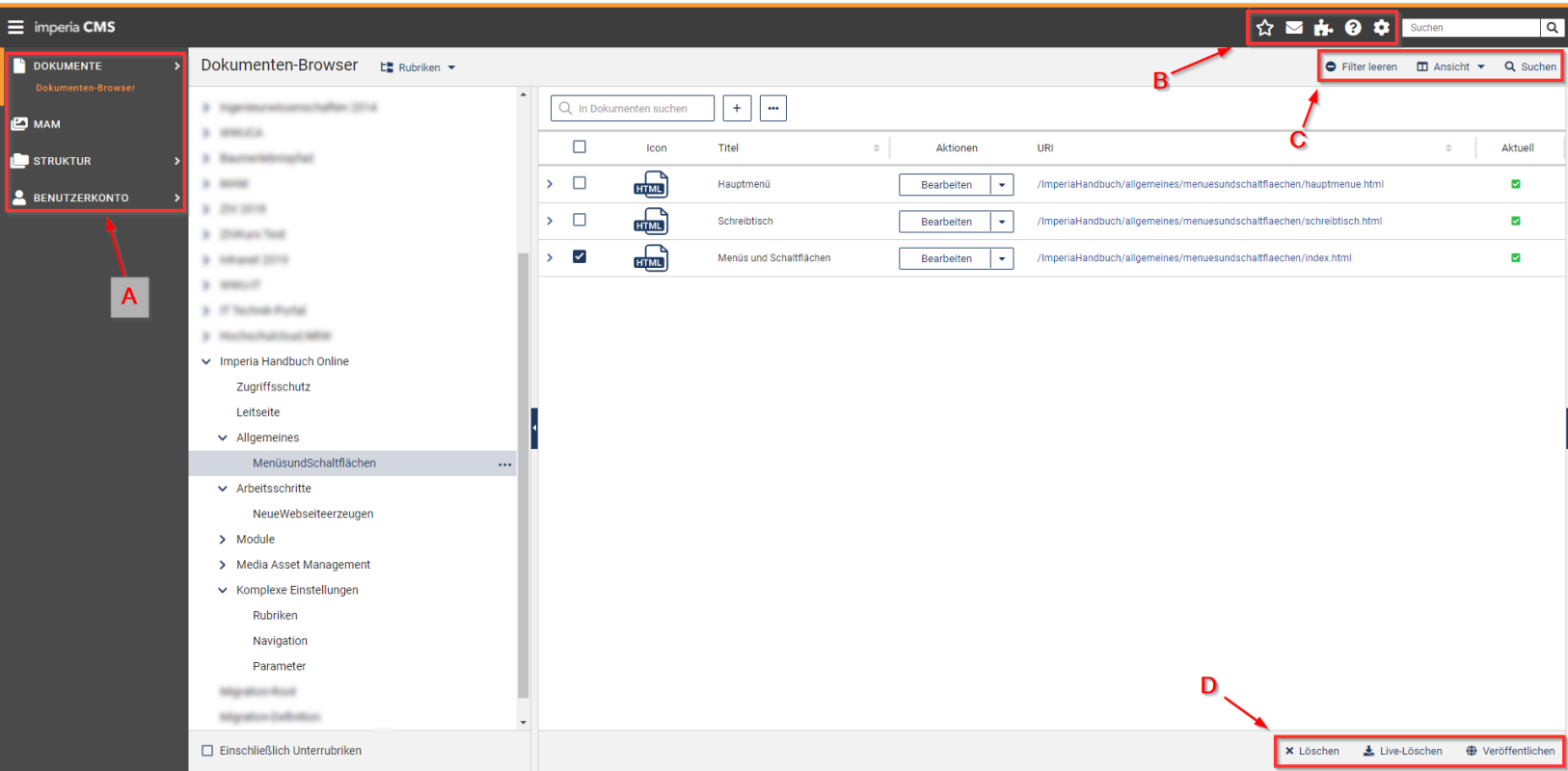
The main menu (A) allows navigation through the Imperia interface. Here one can access both the document browser, in which the documents are managed, and the MAM, where media embedded in web pages are stored (documents, images etc.). In addition, the section structure can be managed and the reparser accessed, with which several documents can be published simultaneously.
In the user menu (B) personal settings and personalisation (including bookmarks) can be carried out.
Menu C is used in the document and rubrics browser to set the display and filtering of documents and rubrics.
Menu D primarily provides quick‑access actions for the element currently selected in the document and section browser.