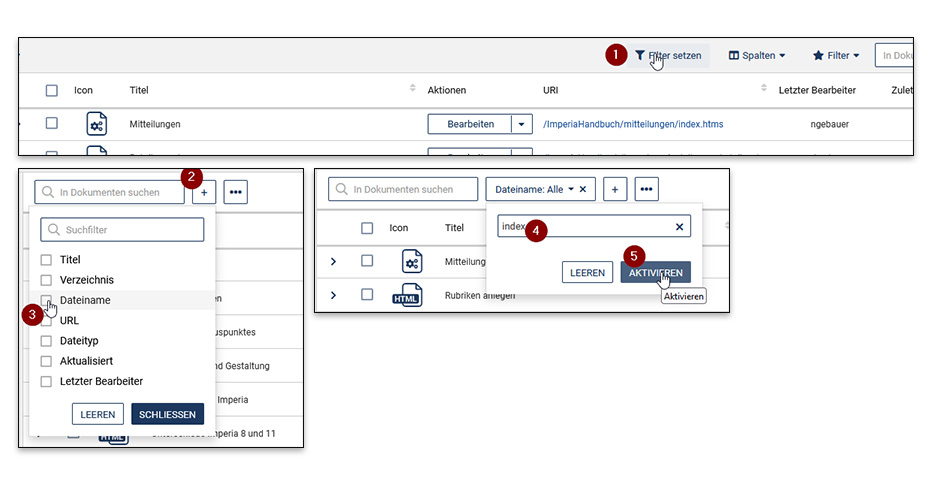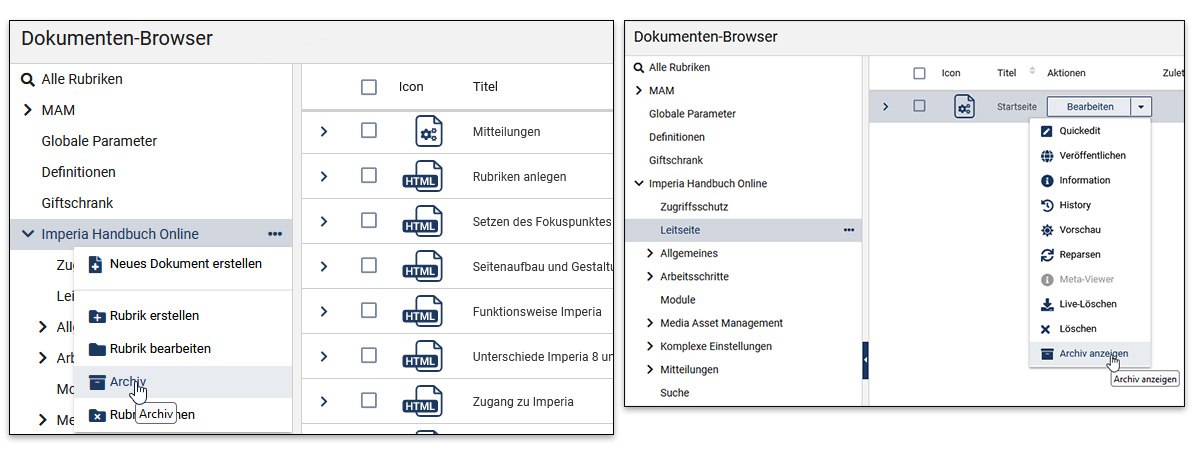
The document browser is used for managing the documents from which the final web pages are generated. Here the documents (and therefore also the final pages) can be selected and edited deliberately. The documents are sorted into categories as in a folder system.
Using the menu interface, new documents can be created, deleted, republished and the meta‑information retrieved. Additionally, new categories can simply be created, deleted and edited here. The browser also provides the ability to jump directly to the archive versions of the documents in the selected category.
Delete / Delete live
Each document can be “live deleted” here. The publication of the document is withdrawn and it is no longer found on the live server (www.uni-muenster.de). The document remains in the development system (imperia.uni-muenster.de) and can continue to be found and edited in the document browser. The document can be made live again at any time via “Publish”.
In contrast, you can also “delete” the document in the document browser, which removes it not only from the live server but also completely from the development system, so it can no longer be found in the document browser. Important: Do not tick the option to also delete the archive version when deleting, as this allows you to continue locating the document in the archive.
All these options can also be applied to multiple documents simultaneously by selecting several documents.