
Legal disclosure Module
How it works
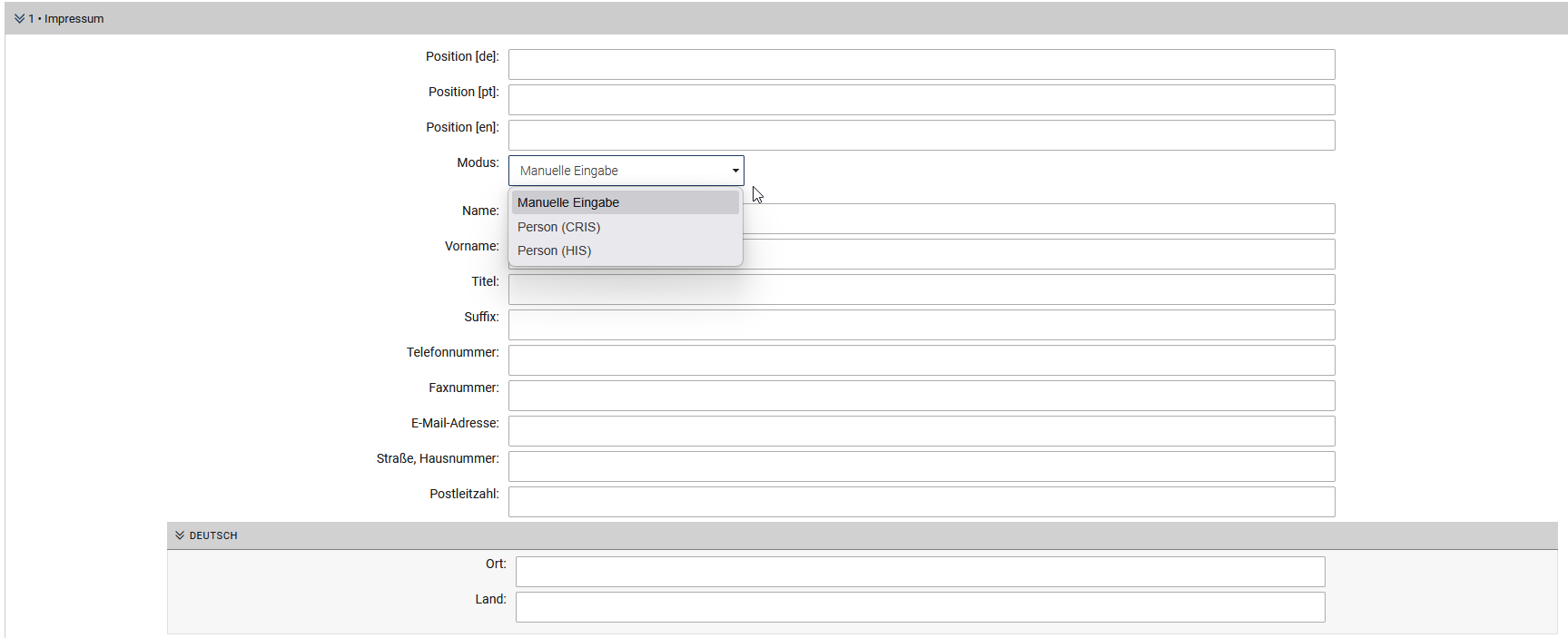
The legal notice flex module automatically populates large parts of the legal notice and helps to ensure that it remains up to date. It uses the category parameters of the respective website to display the registered address and other specific information in the legal notice. You only need to add the person responsible according to the Interstate Treaty on Media in the input fields of the flex module. You can do this manually or retrieve the data from CRIS or HIS (see screenshot).
Automatic text (please use .shtml!)
Furthermore, a text module is automatically inserted for the centrally maintained information (responsible supervisory authority etc.), so that these data can be updated directly upon any change. To ensure that the respective page always displays this information correctly when accessed, you must rename your legal notice page to a ".shtml file".
Quick guide
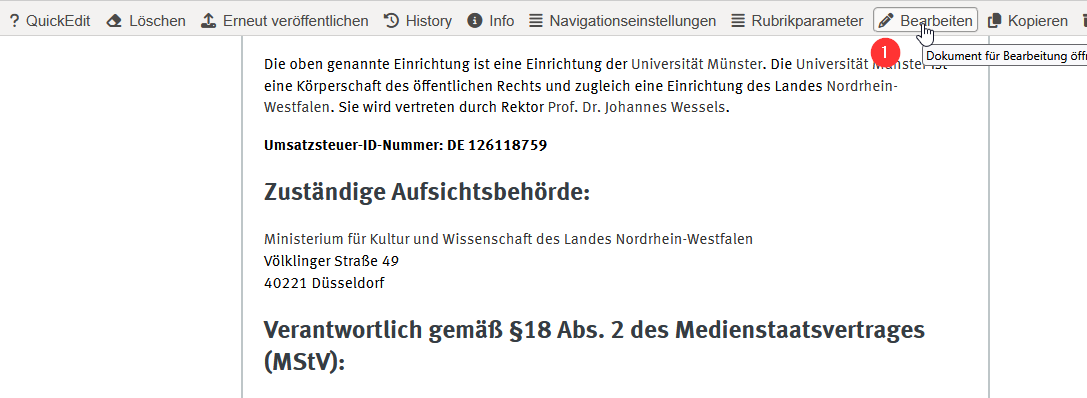
1. go to your legal notice page and click "Edit" in the One-Click-Edit-Bar (OCE)
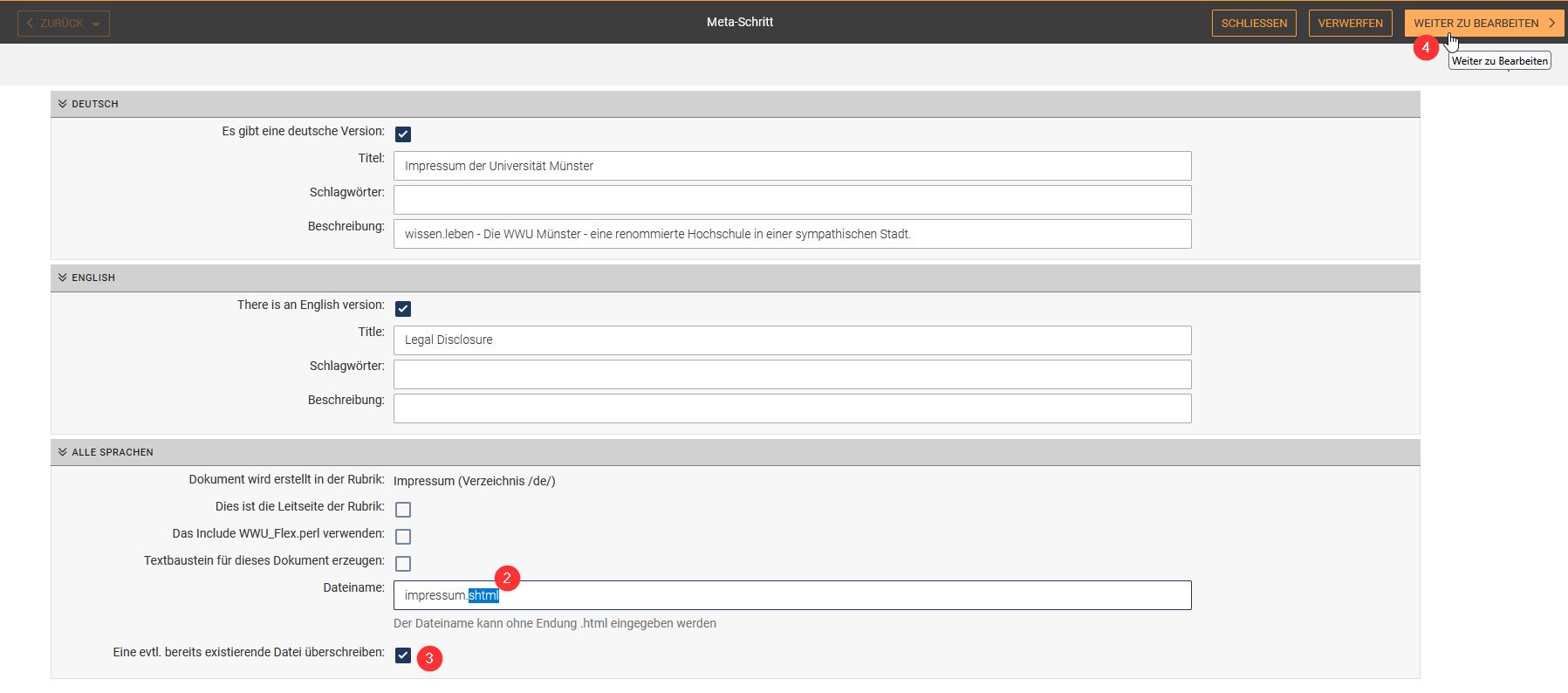
2. change the file name to .shtml at the end
3. tick the checkbox "Overwrite any existing file"
4. click "Continue to Edit" and then publish the document as usual