
Navigation
Navigation forms a central element in website design.
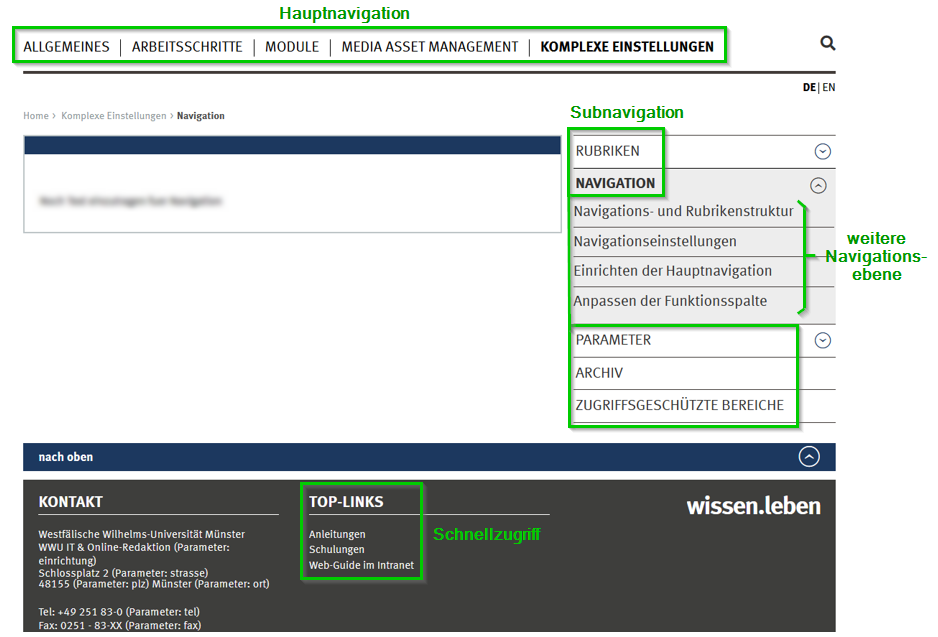
The main navigation is the only navigation level that is displayed on all web pages of a site. This also includes the "target group navigation", coloured in the secondary colour, located below the main entries.
The subnavigation opens by clicking on a main navigation entry on the right side.
Below the subnavigation there is another navigation level, it forms the lowest level of the navigation, so to speak.
You can populate the quick access at the bottom of the page via the "Quick access" tab in the navigation settings.
Here is a diagram of the navigation levels:
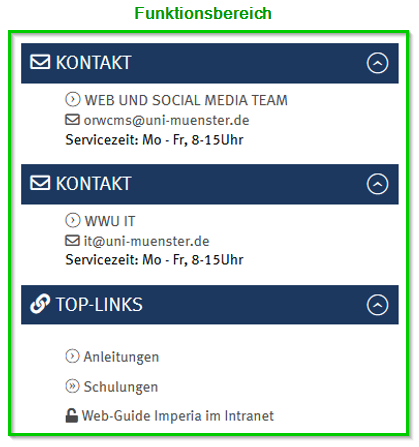
You can primarily edit the function area within the document itself using various modules in the *'Funktionsbereich'* section during the edit step.
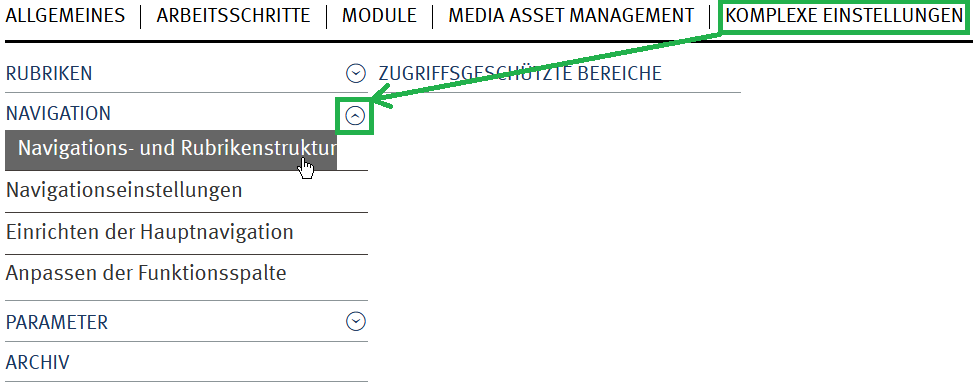
By mouseover on a main navigation entry you can also quickly switch to the lowest navigation level. The advantage of this is that the web pages do not have to build up in between.